
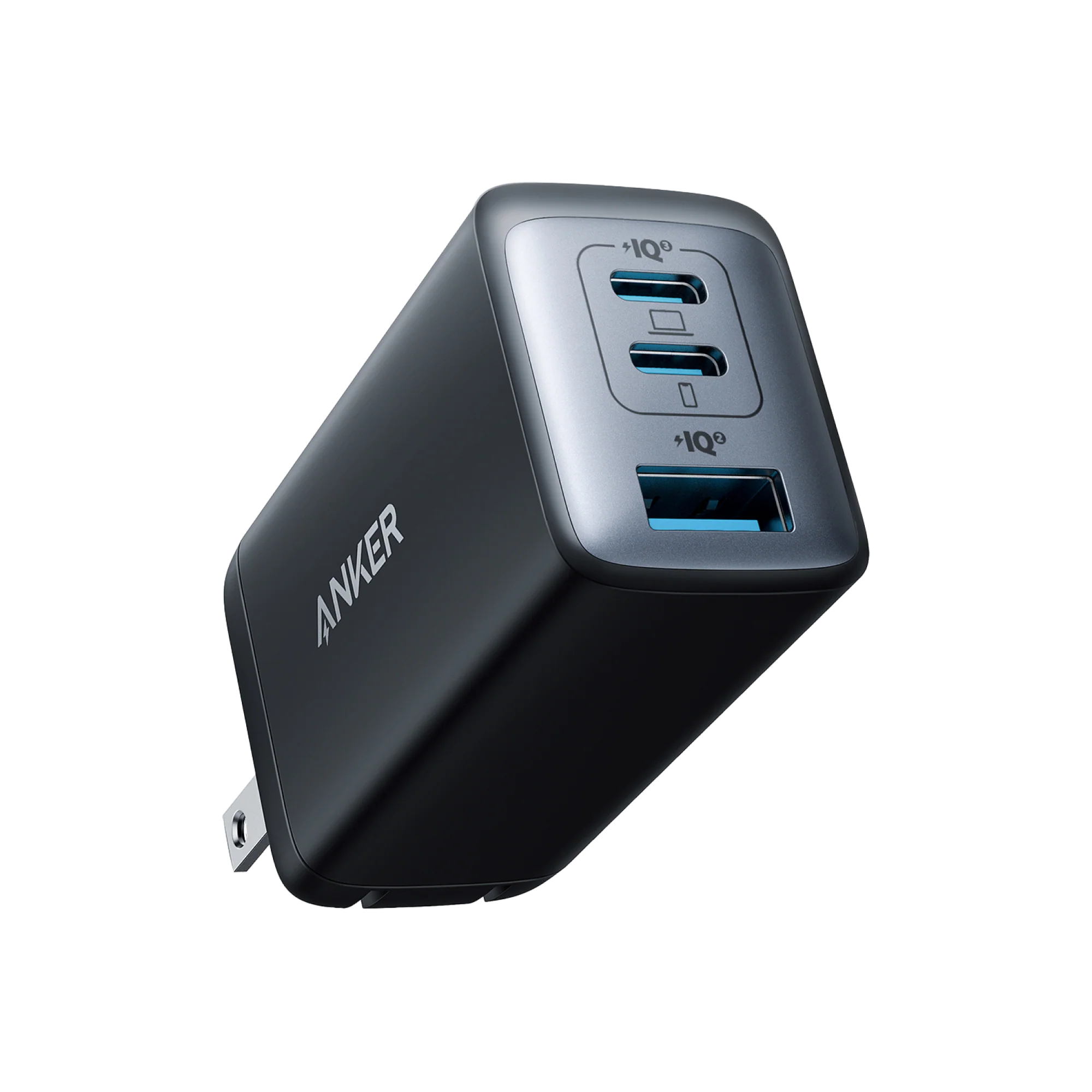
What to know first
- Up to 65W from either USB-C port when charging a single device
- Three total ports: 2 USB-C plus 1 USB-A
- Power is shared when you plug in multiple devices (for example, 45W + 20W on the two USB-C ports)
- Uses GaN II tech to keep the charger small for its wattage
- Wide input range (100-240V) for travel, with the right plug adapter
What the Anker 735 Charger (Nano II 65W) (Model A2667) is
The Anker 735 Charger (Nano II 65W) (Model A2667) is a small wall charger designed to power modern USB-C devices, including many laptops, plus phones and accessories. It has three ports total: two USB-C ports and one USB-A port.
The headline spec is 65W max output when you use a single port. That is the number that matters for school laptops, because many student-friendly laptops charge over USB-C and expect something in this range for normal charging speed.
Where it fits in a school setup is simple: instead of packing a laptop brick and a separate phone charger, you can bring one charger and the right cables for your devices.
Why it stands out
It hits a sweet spot for school: enough power for many USB-C laptops without being a huge block in your bag. Anker lists the charger at 1.50 × 1.15 × 2.60 inches, which is small for a 65W class charger.
The port mix is practical. Two USB-C ports cover most current laptops, tablets, and newer phones, while the USB-A port helps if you still have an older cable or a device that charges over USB-A.
The other standout is how it splits power when you charge more than one thing. If you plug into both USB-C ports, Anker specifies USB-C1 + USB-C2 as 45W max + 20W max. That is a realistic school-day combo: laptop plus phone, without carrying a second brick.
If you use all three ports at once, Anker specifies USB-C1 at 40W max, USB-C2 at 12W max, and USB-A at 12W max. That is enough to keep a laptop going while you slowly top off smaller stuff like earbuds, but it is not the same as giving every device its fastest possible charge at the same time.
What it is like to own
Day to day, ownership is mostly about choosing the right port for the job. If you want the most power for a laptop, plug it into either USB-C port by itself for up to 65W. If you need to charge a laptop and a phone together, using both USB-C ports gives you a clear split (up to 45W on USB-C1 and up to 20W on USB-C2).
For a typical school routine, it is easy to build a simple kit: the charger plus a USB-C to USB-C cable for your laptop, and either USB-C to Lightning (for iPhones) or USB-C to USB-C for your phone. Anker notes cables are sold separately, so plan on bringing the cables you already use.
If you are charging three devices at once, expect the laptop to get the most of the power budget (up to 40W on USB-C1), while the other two ports are set aside for smaller loads (12W each). That is a good fit for “keep everything alive through the day” charging, not “everything charges as fast as possible” charging.
It also supports a wide input range (100-240V), which is useful if you travel. You would still need the right plug adapter for the country you are in.
What to know before you buy
The most important catch is that 65W is the single-device maximum, not what you get on every port all the time. The moment you plug in a second or third device, the charger reallocates power. That is normal behavior for multi-port chargers, but it matters if your laptop is picky about wattage or you want to fast-charge a phone while also charging a laptop.
Check your laptop’s recommended USB-C charging wattage. If your laptop expects more than 65W, this charger can still work in many cases, but it may charge more slowly or struggle to keep up under heavy use. For school laptops that charge at 45W to 65W, it is a much cleaner fit.
Finally, this model is a charger only. You will need to supply the right cables (USB-C to USB-C for most laptops, USB-C to Lightning for iPhones, and so on).
The specs that matter
This is the number that determines whether it can charge many USB-C laptops at a normal pace instead of crawling like a phone charger.
You can charge a laptop and still have ports left for a phone, calculator, earbuds, or a backup battery, without packing multiple bricks.
This is the realistic “laptop plus phone” setup. Your laptop still gets meaningful power while your phone charges alongside it.
Great for keeping multiple devices topped off from one outlet, but the laptop is no longer getting the full 65W and the smaller ports are in slower-charge territory.
If you still have a USB-A cable you rely on, this port can deliver more than basic 5W charging when it is used by itself.
This is the difference between a charger you actually keep in your backpack every day and one that ends up living at home because it is bulky.
It can handle typical international voltage ranges, which is helpful for travel (you still need the correct plug adapter).
Who this product fits
One charger for a USB-C school laptop and a phone
Plug the laptop into USB-C1 and the phone into USB-C2. The charger can allocate up to 45W to the laptop and up to 20W to the phone, so you are not stuck choosing which device gets charged during homework time.
Charging station at a library table with one outlet
Use all three ports to keep a laptop running while topping off a phone and earbuds. The laptop gets the biggest share (up to 40W), while the other two devices charge at up to 12W each.
Family charger for mixed devices
The two USB-C ports cover newer laptops and phones, while the USB-A port helps with older cables and accessories. It is a simple way to reduce charger clutter without forcing everyone onto the same cable overnight.
Anker 735 Charger (Nano II 65W) (Model A2667) FAQ
Is the Anker 735 Charger (Nano II 65W) (Model A2667) powerful enough for a school laptop?
It can output up to 65W from either USB-C port when charging a single device, which is enough for many USB-C charging laptops. The key is to check your laptop’s recommended USB-C charging wattage. If your laptop expects more than 65W, charging may be slower or less consistent under heavy use.
Can the Anker 735 Charger (Nano II 65W) (Model A2667) charge three devices at once?
Yes. With all three ports in use, Anker specifies USB-C1 up to 40W, USB-C2 up to 12W, and USB-A up to 12W. That works well for a laptop plus smaller devices, but it is not the same as giving every device maximum speed simultaneously.
Do both USB-C ports deliver 65W?
Yes, either USB-C1 or USB-C2 can provide up to 65W when used alone. When you use multiple ports, the charger splits power based on the combination you plug in.
Does it come with cables?
No. Anker notes that cables are sold separately, so plan to use your existing USB-C to USB-C cable for a laptop and the appropriate cable for your phone (such as USB-C to Lightning for iPhones).
Will it fast-charge a Samsung phone?
Anker states it supports Super Fast Charging for the S22 Ultra, but it does not support 45W Super Fast Charging 2.0. In plain terms, it can fast-charge many Samsung phones, but not necessarily at the very top Samsung-specific rate on every model.
Should you buy the Anker 735 Charger (Nano II 65W) (Model A2667)?
Buy the Anker 735 Charger (Nano II 65W) (Model A2667) if you want one compact charger that can handle a USB-C laptop and still leave room to charge a phone and accessories. For school, that usually means less stuff to pack and fewer moments of choosing which device gets the outlet.
Skip it if your laptop really needs more than 65W or if your priority is fast-charging several devices at once. In that case, you will be happier with a higher-wattage multi-port charger that can keep laptop-level power available even with multiple ports in use.