
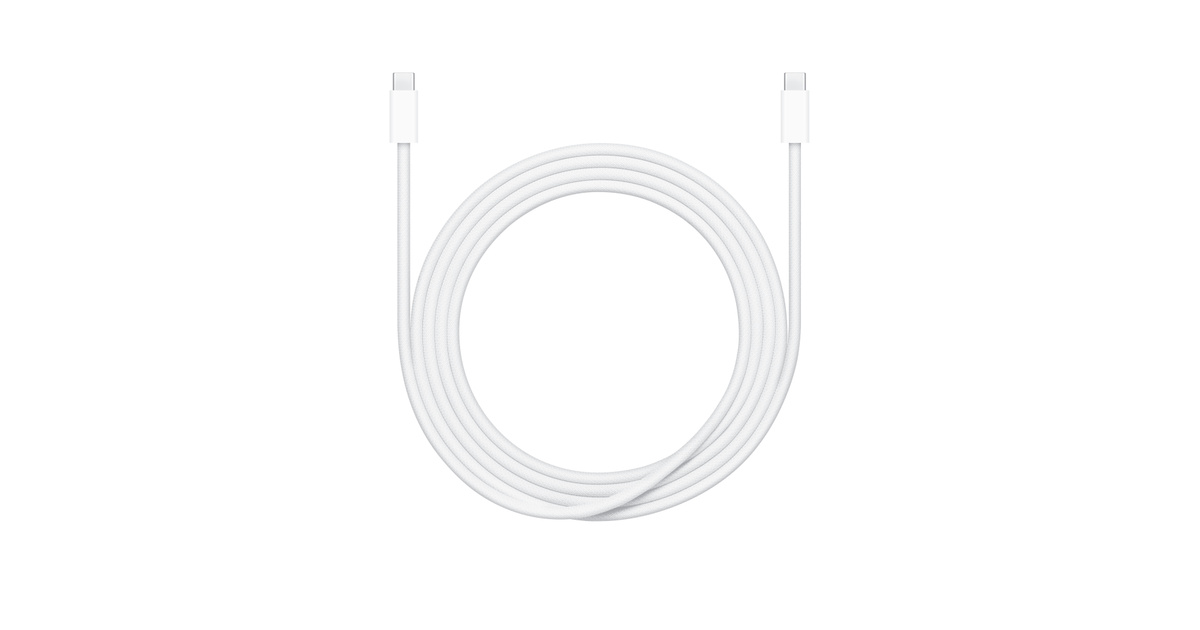
What to know first
- 2 meters is the whole point: it reaches outlets that short cables can’t.
- USB‑C to USB‑C, designed for charging and basic syncing.
- Rated for up to 240W, so it’s ready for higher-power USB‑C laptop charging setups.
- Not a video cable, and not a high-speed data cable.
- If you’re trying to avoid packing an extension cord, this helps.
What the Apple 240W USB‑C Charge Cable (2 m) is
The Apple 240W USB‑C Charge Cable (2 m) is a USB‑C to USB‑C cable made for charging devices and doing basic syncing between devices. It is a cable you plug into a USB‑C wall charger, a USB‑C port on a laptop, or a USB‑C power bank, then into your phone, tablet, laptop, or other USB‑C gear.
The two things that define it are length and power rating. At 2 meters, it’s longer than the typical cable that ships in the box. And it’s rated for up to 240W, which is there for modern USB‑C charging setups that can deliver more power than older USB‑C cables were built around.
It’s also a woven cable. In normal shopper terms, that means it has a braided outer jacket rather than a smooth rubbery one, which many people prefer for day-to-day handling and general durability.
Why it stands out
The 2-meter length is the practical reason to buy this cable. In a dorm or shared apartment, the “good” outlet is often not where you want it. A longer cable lets you charge from a bed, a desk chair, or a top bunk without doing the nightly routine of dragging furniture around or borrowing an extension cord.
The 240W rating is the other standout. USB‑C charging isn’t one-size-fits-all anymore. Some laptops and chargers can negotiate higher power levels, and a cable rated for up to 240W gives you more flexibility as you upgrade devices. You still need a compatible USB‑C power adapter and a device that supports the charging level, but the cable won’t be the limiting factor.
Finally, it’s important to understand what it is not. Apple’s own support documentation draws a clear line between charge cables and Thunderbolt cables: Apple’s USB‑C charge cable supports charging and has data-transfer speed limited to 480 Mbps (USB 2.0), and it doesn’t support video. If your plan includes a monitor, a dock, or fast external storage, you’re shopping in a different aisle.
What it is like to own
Ownership is simple: it’s a USB‑C plug on both ends, so it fits the modern USB‑C world without adapters. For most students, that means it can live in one of two places: permanently plugged in by the bed for overnight charging, or rolled up in a backpack as the “always works” cable for the library and classrooms.
The length changes your setup options. Two meters is long enough that you can route it around a bed frame, down from a lofted bed, or across a desk without putting strain on the connector. It’s also long enough to be shared in a pinch, like when a roommate needs a quick top-up and the only outlet is already occupied.
Because it’s a charge cable, it’s best thought of as part of a charging kit: cable plus a USB‑C power adapter. If you already have a USB‑C charger you like, this cable is an easy upgrade from the short one that never quite reaches.
What to know before you buy
Don’t buy this expecting it to do everything a USB‑C cable can do. This cable is for charging and basic syncing. Apple’s own documentation notes that its USB‑C charge cable is limited to USB 2.0 data speeds (480 Mbps) and does not support video output. That’s fine for everyday charging and occasional device syncing, but it’s the wrong tool for a monitor connection or fast file transfers.
Also, the 240W rating doesn’t magically make charging faster on its own. Charging speed depends on your device and your USB‑C power adapter. The value here is compatibility and headroom: if you have, or later buy, a higher-power USB‑C charging setup, the cable is built to handle it.
If your real problem is outlet access, a long cable can solve it. If your real problem is not enough outlets, you may still need a power strip. This cable helps you reach the outlet you have.
The specs that matter
In a dorm, outlets are often behind furniture or far from where you actually sit. Two meters gives you room to route the cable and still use your device comfortably.
It works with modern USB‑C chargers and USB‑C devices without needing a USB‑A adapter. It’s the right match for most current laptops, iPads, and many phones and accessories.
If you charge a USB‑C laptop that can draw higher power, a 240W-rated cable is built for that. It also gives you breathing room as you upgrade devices and chargers.
It’s fine for basic syncing, but it’s not what you want for moving large video files or backing up to fast external drives.
You can’t use this cable to run a USB‑C monitor connection. If you need display output, you’ll want a USB‑C cable designed for video or a Thunderbolt cable, depending on your gear.
A woven jacket tends to feel more robust in daily handling and can be nicer to live with in a backpack or desk drawer than a slick rubber cable.
Who this product fits
Move-in day, outlet behind the bed
You plug your USB‑C charger into the only reachable outlet and still have enough cable length to charge on the bed without balancing your phone on a nightstand you don’t have yet.
Library study sessions with a USB‑C laptop
You keep one cable in your bag that can handle laptop charging without worrying about whether it’s rated for higher-power USB‑C charging setups.
Shared room, shared outlets
The extra length makes it easier to snake the cable to your side of the room, even if the outlet is closer to your roommate’s desk.
Apple 240W USB‑C Charge Cable (2 m) FAQ
Is the Apple 240W USB‑C Charge Cable (2 m) good for a dorm room?
Yes, mainly because it’s 2 meters long. That extra reach helps when the only usable outlet is behind a bed, under a desk, or across a shared room.
Can the Apple 240W USB‑C Charge Cable (2 m) connect my laptop to a monitor?
No. Apple’s USB‑C charge cable does not support video output, so it’s not the right cable for connecting to a USB‑C display.
Does the Apple 240W USB‑C Charge Cable (2 m) transfer data fast?
It supports data transfer, but it’s limited to USB 2.0 speeds (480 Mbps). For fast external drives, docks, or big file transfers, look for a cable designed for higher USB data speeds or Thunderbolt, depending on your devices.
Will this 240W cable make my phone charge faster?
Not by itself. Charging speed depends on your phone and your USB‑C power adapter. The 240W rating mainly matters for compatibility with higher-power USB‑C charging setups.
What’s the difference between this cable and an Apple Thunderbolt cable?
Apple’s USB‑C charge cable is meant for charging and basic syncing, and it doesn’t support video. A Thunderbolt cable is built for high-speed data and can support video, depending on the setup.
Should you buy the Apple 240W USB‑C Charge Cable (2 m)?
Buy the Apple 240W USB‑C Charge Cable (2 m) if you want a long, dependable USB‑C to USB‑C cable for everyday charging in a dorm, apartment, or campus routine. The 2-meter length is the real quality-of-life upgrade, and the 240W rating makes it a smart “buy once” cable for higher-power USB‑C laptop charging too.
Skip it if your main goal is connecting to a monitor or getting fast file transfers. In that case, you’re better off shopping for a USB‑C cable that supports video and higher data speeds, or a Thunderbolt cable if your setup calls for it.