
What to know first
- Designed for 13-inch MacBook Air (M2 to M4) and 13-inch MacBook Pro, with a form-fitting shape.
- Uses Incase’s Woolenex exterior material (a durable fabric used across their tech carry line).
- The structured build is the point: it adds protection when your bag’s laptop divider feels flimsy.
- Works well for people who move their laptop between bags and want consistent protection.
- Sold as part of Incase’s ICON collection and available in multiple colors (availability varies).
What the Incase ICON Sleeve for 13-inch MacBook Air & Pro is
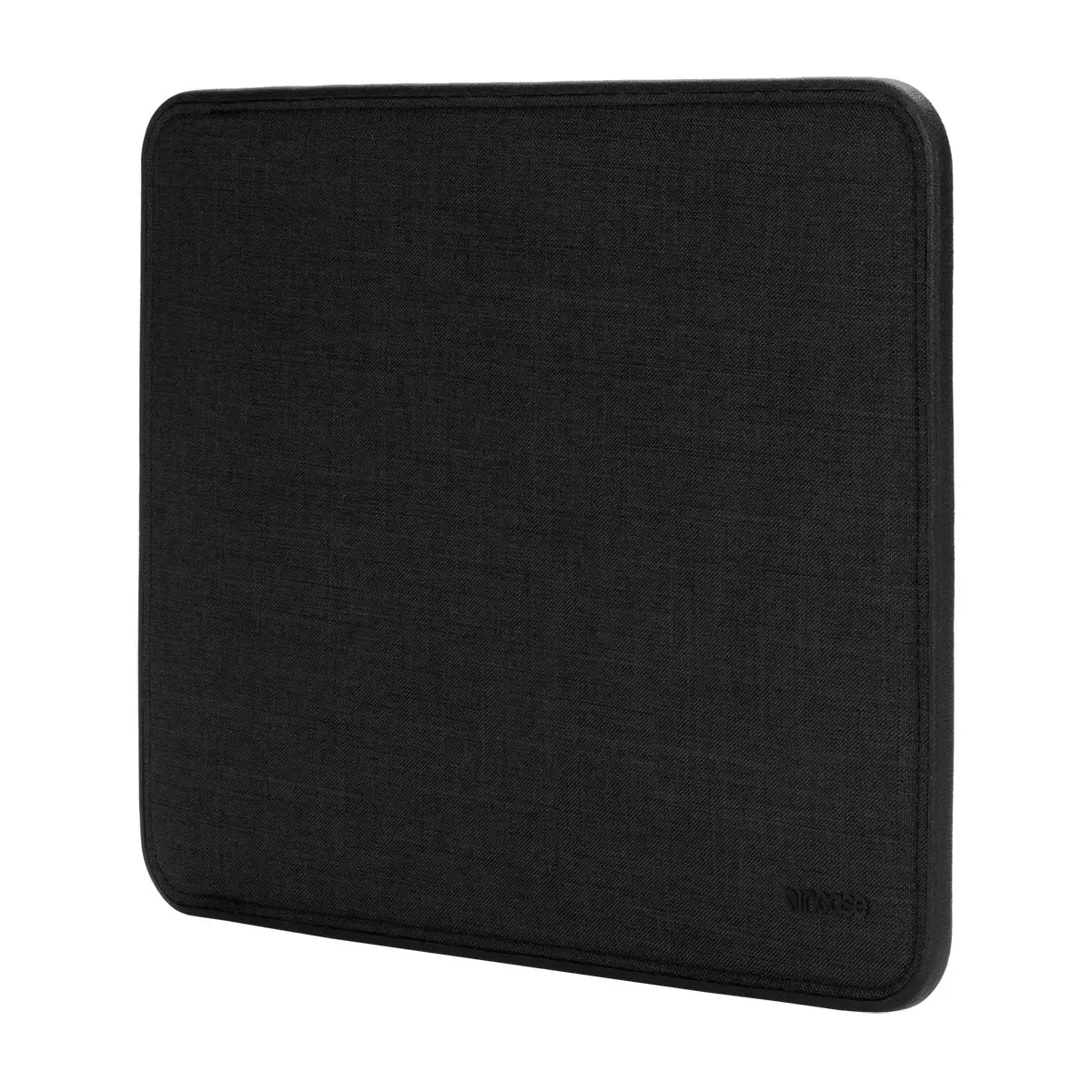
The Incase ICON Sleeve for 13-inch MacBook Air & Pro is a dedicated laptop sleeve made to fit specific Apple laptops, not a one-size-fits-most pouch. It’s shaped to hug a 13-inch MacBook Air (M2 to M4) or a 13-inch MacBook Pro, so the laptop doesn’t rattle around inside.
It’s part of Incase’s ICON collection, which focuses on protective tech carry. In plain terms, this sleeve is meant to be the layer of protection your backpack might be missing, especially if your bag’s laptop compartment is basically just a thin fabric divider.
You can use it inside a backpack for extra protection, or carry it on its own when you’re walking across campus or heading to a coffee shop and don’t want to bring a full bag.
Why it stands out
The main advantage is structure. A lot of laptop sleeves are soft and floppy, which is fine for scratch protection but doesn’t do much when your bag gets bumped or squeezed. This one is a more protective, structured sleeve, which is exactly what you want if your laptop is sharing space with textbooks, a water bottle, or a packed lunch.
The exterior is Woolenex, a signature Incase material used on several of its tech products. For a student or commuter, that matters because the sleeve is going to live in and out of backpacks, on desks, and in crowded spaces. A durable outer fabric helps it hold up to that routine.
Because it’s form-fitting for specific MacBook models, it’s a cleaner solution than buying an oversized “13 to 14 inch” sleeve and hoping for the best. A snug fit is also nicer day to day because it’s easier to slide into a backpack without bunching up.
What it is like to own
In daily use, a sleeve like this changes how you pack. Instead of treating your laptop as a fragile item that needs its own careful spot, you can put it in the sleeve and then pack your bag more normally. That’s especially helpful when you’re moving fast between classes or commuting and you don’t want to think about whether your laptop is rubbing against a binder zipper or a metal water bottle.
It’s also a practical solution if you rotate bags. If you sometimes carry a backpack, sometimes a tote, and sometimes just your laptop, the sleeve becomes the consistent protective layer that moves with the computer. You are not relying on each bag’s built-in padding to do the job.
Since this is a top-load style sleeve (as described by the manufacturer for the ICON sleeve line), it’s straightforward: laptop in, laptop out. There’s no complicated harness or multi-step closure to deal with when you’re trying to pull your computer out quickly in a lecture hall.
What to know before you buy
Fit is the first thing to get right. This model is intended for a 13-inch MacBook Air (M2 to M4) and a 13-inch MacBook Pro. If you have a different size, or a different generation that doesn’t match the stated compatibility, you should choose the correct ICON sleeve size instead of forcing it.
Also, this is a sleeve, not a full bag. The point is protection and a clean carry, not hauling your whole setup. If you want to carry a charger, mouse, and notebook in the same case, you may be happier with a laptop brief or a sleeve that explicitly includes accessory storage.
Finally, it’s priced like a premium accessory. Incase positions the ICON line as higher-end protection and materials, so you’re paying for the structured build and Woolenex fabric rather than a basic neoprene pouch.
The specs that matter
A sleeve that’s designed around specific laptops tends to fit snugly, slide into a backpack more easily, and keep the laptop from shifting around inside the case.
A form-fitting sleeve is less bulky than a universal case. It’s a better match for students who already have a backpack and just want a protective layer inside it.
The exterior fabric is what takes the daily wear from backpacks, desks, and lockers. A durable fabric helps the sleeve keep looking decent and keep protecting your laptop over time.
The ICON line is built around protective tech carry. If you already own ICON gear, this sleeve is designed to match that same style and purpose.
If you’re using this daily for school, color is not just aesthetic. It can make the sleeve easier to spot in a shared space or differentiate from someone else’s similar-looking gear.
This is not a bargain-bin sleeve. The price only makes sense if you actually need the extra structure and want a more premium material than a basic sleeve.
Who this product fits
Your backpack’s laptop pocket is basically a thin divider
Put your MacBook in the Incase ICON Sleeve for 13-inch MacBook Air & Pro first, then slide the whole thing into the backpack compartment. You get a more protective, structured layer between your laptop and everything else in the bag.
You move your laptop between a school backpack and a weekend tote
Instead of relying on each bag’s padding (or lack of it), the sleeve becomes the consistent protection that travels with your MacBook. Packing is faster because you’re not rethinking where the laptop should go every time you switch bags.
You carry your laptop by itself across campus
The sleeve gives you a cleaner way to carry your MacBook without bringing a full backpack. It’s still a sleeve, not a full briefcase, but it’s a more protective option than carrying the laptop bare.
Incase ICON Sleeve for 13-inch MacBook Air & Pro FAQ
Will the Incase ICON Sleeve for 13-inch MacBook Air & Pro fit my MacBook?
It’s designed for a 13-inch MacBook Air (M2 to M4) and a 13-inch MacBook Pro. If you have a different size MacBook, you should choose a different sleeve size rather than guessing.
Do I need a laptop sleeve if my backpack already has a laptop compartment?
If your backpack compartment is thin or unstructured, a sleeve adds a more protective layer against bumps and scratches. If your backpack has a well-padded laptop area and you rarely move your laptop between bags, you may not get much benefit from an extra sleeve.
What is Woolenex on the Incase ICON Sleeve?
Woolenex is the exterior material specified for this sleeve. In practical terms, it’s a fabric choice aimed at durability and everyday wear resistance compared with a basic soft sleeve material.
Is the Incase ICON Sleeve for 13-inch MacBook Air & Pro bulky inside a backpack?
It’s designed to be form-fitting, so it’s meant to add protection without turning your backpack into a bulky brick. You’ll still want to account for the extra layer if your backpack is already tight on space.
Is the Incase ICON Sleeve for 13-inch MacBook Air & Pro worth the price?
At a listed $59.99 on Incase.com, it’s priced like a premium sleeve. It’s worth it if you want the added structure and a more durable exterior material, and if your current carry setup doesn’t feel protective enough.
Should you buy the Incase ICON Sleeve for 13-inch MacBook Air & Pro?
Buy the Incase ICON Sleeve for 13-inch MacBook Air & Pro if you want a snug, structured sleeve that makes your everyday carry feel safer, especially in a backpack that doesn’t have much padding. It’s a simple upgrade that matters most when your laptop is around books, chargers, and other hard items.
Skip it if you don’t have the compatible 13-inch MacBook models, or if your backpack already does a great job protecting your laptop. In that case, your money is better spent on a better backpack or a sleeve that matches your exact device and carry style.