

Pickori's Take
- Pickori recommends the Acer Aspire 16 AI for students and home-office buyers who want a truly portable 16-inch laptop at its $729.99 list price. Skip it if a must-have app or driver won't run on Windows on Arm, or if you need gaming power or a color-accurate display.
- Its 3.42-pound weight puts a 16-inch screen in the same carrying class as many smaller laptops, so the big display stops being a reason to leave the computer home.
- Battery life is the headline: two independent rundowns using different video-based methods both landed well past 15 hours, a rare result for a screen this size.
- Two USB4 ports, two USB-A ports, HDMI 2.1, and microSD cover monitors, flash drives, and camera cards without a dongle.
- Treat the 45 TOPS NPU as a qualification for Copilot+ features, not as a reason to buy. The weight, battery, and ports earn the recommendation.
- Don't buy it for gaming or color-critical editing. The integrated graphics are modest and the screen favors comfort over accuracy.
A big-screen Acer that finally fits the commute
Acer announced its Snapdragon-powered Aspire 16 AI family in May 2025. The A16-11MT-X669 is the configuration most shoppers will run into: a Snapdragon X X1-26-100 processor, 16GB of LPDDR5X memory, a 512GB PCIe 4 SSD, and a 16-inch 1920x1200 touchscreen running at 120Hz. At $729.99, it lands in the crowded middle of the market, where 16-inch laptops are usually built to a price and weigh like it.
Weight is what pulls it out of that crowd. Acer lists the laptop at 3.42 pounds, roughly 0.63 inch thick, and about 14 by 9.8 inches across. That's the difference between a laptop you carry because you have to and one you carry without thinking about it. Large-screen buyers normally accept a heavier machine as the price of all that room. Here, the screen choice no longer settles whether the laptop leaves the house.
Snapdragon is the other half of the story. Qualcomm's chips are built for efficiency first, which is how a laptop this light gets battery life this long without a giant cell. The flip side is that Windows on Arm asks owners to confirm their software and peripherals are supported, something Intel and AMD laptop buyers never think about. For people who mostly live in a browser, Office, and video calls, that check usually takes a few minutes and passes.
Its natural owner is someone with a busy, ordinary workload who's tired of squinting. A 16:10 screen at 1920x1200 gives a bit more vertical room than a standard widescreen panel, which helps with long documents and two side-by-side windows. Touch input and a hinge that, according to PCWorld's evaluation, opens a full 180 degrees make it easy to share the screen across a table or flick through a slide deck.
Gamers and creative pros will want a different machine. The AI branding signals that the chip qualifies for Microsoft's Copilot+ features. It doesn't add much to the case for buying the laptop. The case rests on weight, endurance, a smooth touchscreen, and a port selection that's generous for any price.

Two rundowns, one result: this battery outlasts your day
Leaving the charger home is the clearest everyday payoff. Acer pairs a 65Wh battery with a 65W USB-C adapter, and the Snapdragon chip's efficiency does the rest. Big-screen laptops usually spend more power lighting a larger panel, so long runtimes at 16 inches are harder to come by than at 13 or 14.
Two independent evaluations of this exact model measured very long runtimes. PCWorld recorded 15 hours 30 minutes looping 4K video at about 200 nits of brightness, and PCMag's own rundown reached 17 hours 2 minutes. The numbers differ because the methods differ: different video files, brightness targets, and settings change the drain rate. Averaging them would invent a figure neither publication measured. Read them as two separate methods arriving at the same conclusion, which CNET's description of the battery life as exceptional reinforces.
In practice, that endurance changes how a day is planned. Both results come from video playback, a fairly gentle load, so heavier days with constant video calls, a brighter screen, or lots of downloads will finish lower. Even with a healthy margin taken off, the evidence points to a laptop that covers a full class schedule or workday with charge left over for the evening. Outlets at the coffee shop stop being a factor, and so does the lecture-hall seat by the wall.
Weight and endurance reinforce each other. A light laptop with a short battery still ties you to a charger, and a long-running laptop that's heavy still stays home. At 3.42 pounds with runtimes in this range, the Aspire 16 AI avoids both. That combination, not raw speed, is why the $729.99 price looks like a bargain.
Speed doesn't take a hit to get there. Independent evaluations agree that everyday productivity performance is competitive for the class, so the efficiency doesn't show up as a sluggish laptop during normal work. The modest graphics are the cost, covered in the caveats below, and most of this machine's intended buyers won't miss them.
What the Snapdragon X X1-26-100 handles well, and where it stops
This configuration pairs Qualcomm's eight-core Snapdragon X X1-26-100 (up to 3GHz) with 16GB of LPDDR5X memory, a 512GB PCIe 4 SSD, and Adreno integrated graphics rated at up to 1.7 TFLOPS. Independent evaluations agree that it's competitive for everyday productivity in its price class and modest on graphics. Here's how that plays out across the jobs people actually buy a $729.99 laptop to do.
| Workload | Outlook | What to expect |
|---|---|---|
| Browser tabs, documents, email, and video calls | Comfortably strong | Eight CPU cores and 16GB of memory are enough headroom for a crowded browser, a shared doc, a chat app, and a video meeting running together. Chrome, Edge, Microsoft 365, Zoom, and other mainstream apps are well served on Windows on Arm, so this is the workload the laptop was built around. |
| Spreadsheets and data entry | Good, with a layout quirk | The processor won't get in the way of typical household or small-business spreadsheets, and the dedicated number pad speeds up numeric entry. The cost is a tighter main keyboard and a typing position that sits left of the screen's center, which takes some adjustment. |
| All-day unplugged work and streaming | Standout strength | Snapdragon's efficiency and a 65Wh battery combine for runtimes that two independent rundowns put well beyond a workday. Light work and video are exactly the loads those results reflect, so this is where the laptop separates itself from most 16-inch rivals. |
| Light photo edits and casual video trims | Fine for hobby work, wrong tool for color work | Cropping, exposure fixes, and short clip edits are within reach of the CPU and memory. The display's middling contrast and color mean you can't trust what you see for client prints or color grading, and the integrated GPU won't speed up heavy effects. |
| Gaming | Casual and older titles only | A 1.7-TFLOPS Adreno GPU suits browser games, lighter indie titles, and older games at reduced settings. Modern AAA games are out of reach, and titles that use kernel-level anti-cheat may not run on Arm at all. The 120Hz screen won't change that math. |
| Copilot+ AI features | Supported, not a reason to buy | The 45 TOPS NPU meets Microsoft's bar for Copilot+ PC features. It runs those specific AI tasks efficiently, but it doesn't make Excel, Chrome, or file copies faster. |
| VPNs, virtual machines, and specialized tools | Verify before buying | Anything that installs its own low-level driver, including some corporate VPN and security software, x86 virtual machines, and niche engineering or lab software, needs an Arm64 version. This is a compatibility question, not a speed question, and it's answered by the software maker, not by the hardware. |
Think of this processor as a strong, efficient commuter rather than a weekend track car. It moves quickly through the work most people do all day, and it sips power while doing it, which is why the battery results look so good. Independent evaluations call its productivity performance competitive for the class. None of them describe it as a creative or gaming machine.
Graphics set the clear ceiling. At this price, a 1.7-TFLOPS integrated GPU is normal, and for a laptop whose job is documents, video calls, and streaming, it's plenty. Problems start only when a buyer expects the 120Hz display to signal gaming chops. A high refresh rate makes scrolling and cursor movement look smoother; it doesn't render frames faster.
Compatibility is the real variable, and it behaves like a light switch rather than a dimmer. Most apps either run well natively, run acceptably through emulation, or don't install at all because a driver is missing. A slow app is rarely the risk. A missing one is, and that's why the pre-purchase check in this review matters more than any benchmark.

Ports, a number pad, and a face-unlock camera: the daily routine
Dongles are optional. The Aspire 16 AI has two USB4 Type-C ports that handle charging and display output, two USB-A ports for older mice and flash drives, HDMI 2.1 for a TV or monitor, a microSD slot, and a 3.5mm audio jack. A home-office setup can be a monitor on HDMI, a second display or a charger on USB4, and a wired mouse and keyboard on USB-A, all without an adapter. Photographers and drone owners can pull cards directly through the microSD slot.
Wireless support is equally current: Wi-Fi 7 and Bluetooth 5.4. Wi-Fi 7's extra speed and lower latency only arrive with a Wi-Fi 7 router, so most buyers won't notice a difference on day one. It does mean the laptop won't be the bottleneck when you eventually upgrade your home network.
Typing involves a compromise worth understanding. A full number pad makes data entry, budgeting, and spreadsheet work faster, but fitting it in shrinks the main keys and shifts the home row and touchpad left of the screen's center. PCWorld found the layout cramped. CNET liked the keyboard overall, and PCMag listed it among the weaker points. The fair takeaway is that this is a good keyboard for number-heavy users and a slight adjustment for long-form writers, who will spend their first week typing a little off-center.
Touchpad space is generous for the money. PCWorld measured it at about 6 by 3.5 inches, and both CNET and PCMag also called out its roominess. Combined with the touchscreen, it reduces the need to carry a separate mouse, and it saves a little weight in the bag along the way.
Login is quick and private. An infrared camera supports Windows Hello face sign-in, so the laptop unlocks as you sit down, and a physical shutter blocks the lens when you aren't on a call. Published sources disagree on the webcam's resolution: Acer's family materials, CNET, and PCMag describe it as QHD (1440p), while PCWorld lists 1080p for this exact model. CNET specifically praised the camera, so meetings are well covered either way.
Build quality is functional rather than fancy. Independent evaluations describe a plain plastic chassis that feels reasonably rigid, which fits a laptop meant for backpacks and kitchen tables. It won't impress anyone at a client meeting, but it isn't flimsy, and plastic plays a part in keeping the weight down.


While you're comparing
The right product, at a better price
Our free morning email rounds up discounts worth knowing about, from kitchen upgrades to everyday tech. Reviews and buying guides arrive separately in our occasional newsletter.
Free to joinUnsubscribe anytime
Where $729.99 shows: screen quality, graphics, and Arm fine print
Display opinions vary, but they point in one direction. PCMag described the screen as colorful and fast, PCWorld found contrast and color mediocre with brightness that's usable indoors, and CNET landed on serviceable rather than stunning. Taken together, it's a pleasant screen for documents, browsing, and streaming, smooth thanks to 120Hz, and not one to trust for photo editing, color grading, or design proofs. The matte finish helps with indoor reflections, but this isn't a panel for bright outdoor patios.
Graphics mark the hard ceiling. The Adreno GPU is rated at up to 1.7 TFLOPS, enough for casual games, older titles at modest settings, and smooth video playback. Modern AAA games and GPU-heavy creative work are beyond it. Games with kernel-level anti-cheat may not run on Windows on Arm at all, which can rule out popular competitive shooters regardless of settings.
Speaker quality is another weak point. PCMag listed audio among its criticisms, so plan on earbuds or a headset for music and long calls in a noisy room. For most buyers, that's a pair of headphones they already own.
Windows on Arm compatibility is the dealbreaker for a specific group: people whose work requires driver-level software without an Arm64 version, such as some corporate VPNs and security agents, x86 virtual machines, or niche professional tools, and people who need an accessory whose maker hasn't released Arm drivers. The checklist below sorts out which group you're in.
Those limits make the buying decision unusually clean. Mainstream apps, long unplugged days, and a need for more screen space point toward the Aspire 16 AI. Driver-dependent work, modern games, and color-critical projects point somewhere else.
Your five-minute Windows on Arm check
Windows on Arm is the full Windows 11 Home, running on a different family of processor. Programs written for Arm run natively and efficiently. Older programs built for Intel and AMD chips (x86 and x64) run through Prism, Microsoft's emulation layer, which translates them on the fly without any setup from you. For mainstream apps like browsers, Office, streaming services, and video-call clients, this has become routine. Microsoft notes that many popular apps now run natively.
Drivers are where it can break. Emulation translates ordinary programs, but it can't translate the deep system software that talks directly to hardware or the Windows kernel. Microsoft is clear that those drivers must be built for Arm64. That's why the risky items are predictable: printers, scanners, drawing tablets, audio interfaces, and other gadgets that need their own driver; VPN, antivirus, and corporate security software that hooks into the system; virtual machines that expect an x86 guest; games with kernel-level anti-cheat; and specialized professional or lab software.
Here's the check, in Pickori's order of importance. First, write down every app you can't work without and search each developer's site for Arm64 or Windows on Arm support. Second, list every accessory that installed its own software on your current PC and check the manufacturer's driver page for an Arm64 download. Third, if your laptop connects to an employer or school network, ask IT whether their VPN and security tools support Windows on Arm. Fourth, look up any game you play competitively to see if its anti-cheat works on Arm. Fifth, if you use virtual machines or specialized engineering, music, or lab tools, confirm Arm support with the vendor directly.
Interpreting the results is simple. If everything comes back supported or emulation-friendly, buy the Aspire 16 AI with confidence. If one essential item returns a no or a vague not yet, don't count on an update arriving on your schedule: that single item outweighs all of this laptop's strengths, and an x86 machine is the better buy. Nice-to-have apps that fail are a different matter. A web version or an alternative app usually solves those.
Aspire 16 AI, Aspire Go 16, or HP OmniBook 3 16?
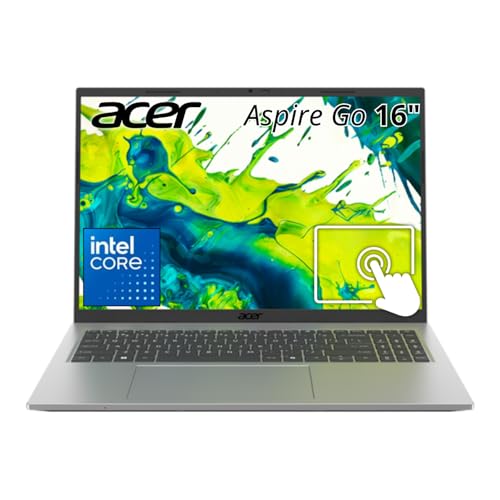
The Acer Aspire Go 16 is the conventional route. It runs on a standard x86 processor, so the compatibility check disappears: every Windows driver, VPN client, and older game works the way it would on any Intel or AMD laptop. Choose it when the Arm check above flags something you can't live without, or when a household's shared laptop needs to run whatever someone installs without questions. Compare its weight, battery claims, and screen refresh rate against the Aspire 16 AI on the listing, because those are the areas where the Snapdragon model earns its premium.
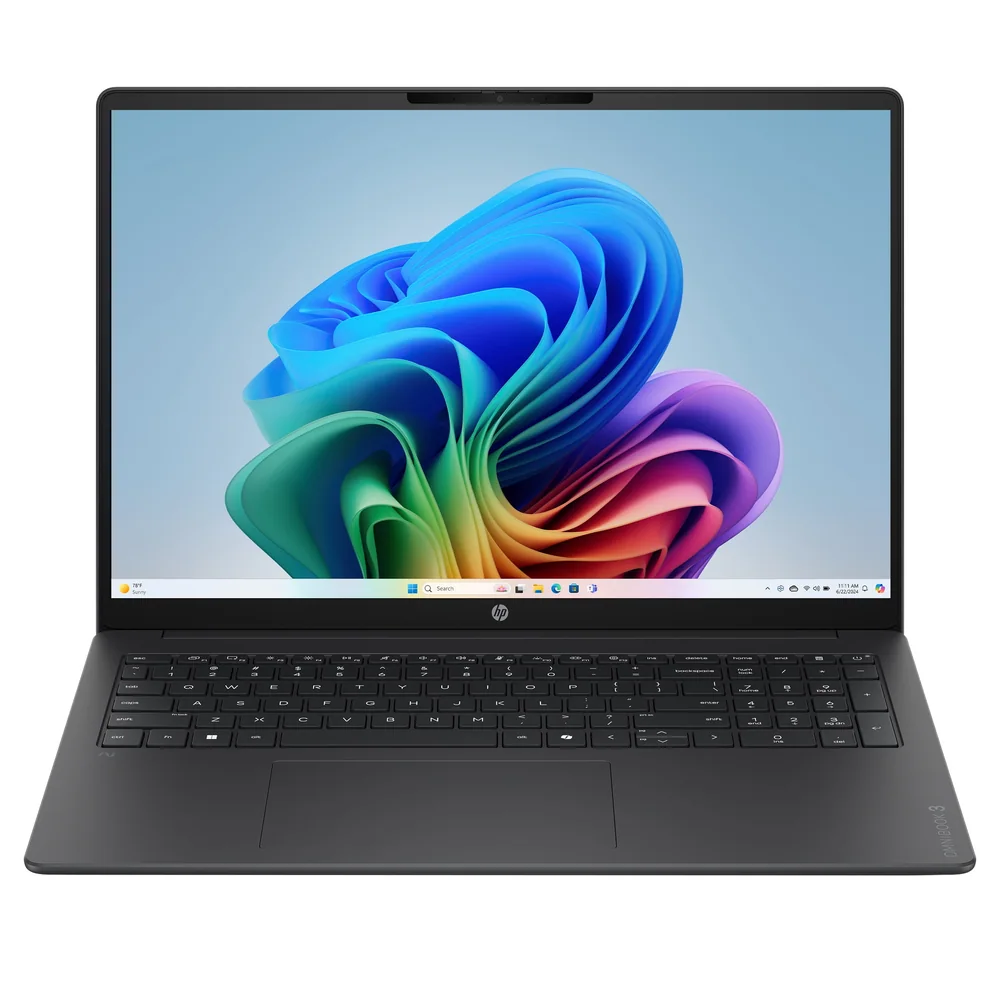
The HP OmniBook 3 16 sits on the same side of the fence as the Aspire 16 AI: a Snapdragon-based 16-inch laptop aimed at long battery life. Choosing it doesn't remove the Arm compatibility check, so the decision comes down to the details on the spec sheet, such as price, weight, screen refresh rate, touch support, and ports, plus any brand preference for service.
Pickori's rule for this three-way choice: let compatibility decide first, then hold the others to the Aspire 16 AI's spec sheet. If you need x86, buy the Aspire Go 16 and accept whatever it gives up. If Arm works for you, the Aspire 16 AI sets a high bar in its price class with 3.42 pounds, a 120Hz touchscreen, two USB4 ports with HDMI 2.1 and microSD, and IR face login. An alternative should match most of that list at a similar price before it earns the spot.
How much should the AI label count?
Not much, and that's fine. The AI in the name refers to the 45 TOPS Hexagon NPU, a dedicated chip for AI tasks that's separate from the main processor and graphics. Reaching 45 TOPS qualifies the laptop as a Copilot+ PC, meaning it can run the Windows features Microsoft reserves for machines with a capable NPU.
An NPU only helps software designed to use it. It doesn't open spreadsheets faster, speed up page loads, or improve compile times. Those depend on the CPU, memory, and SSD, and the evidence shows they're competitive for the class without help from the NPU.
Treat Copilot+ eligibility like Wi-Fi 7: good to have on a laptop you'll keep for years, but not a reason to choose one machine over another. If the AI features matter to you, every Snapdragon X Copilot+ laptop qualifies. If they don't, you lose nothing by ignoring them, and the weight, battery, and ports still justify the purchase.
Who this product fits
The college student with a full schedule
Morning lecture, library afternoon, evening study group: the battery evidence suggests the laptop can cover all of it, and 3.42 pounds won't make the walk worse. The 16:10 screen holds notes beside a reading, and the 180-degree hinge makes it easy to share a slide with classmates. Before buying, check that any course-specific software runs on Windows on Arm.
The remote worker with a desk setup at home
During the day, HDMI 2.1 or USB4 drives an external monitor while USB-A handles a wired mouse and keyboard. Unplugged, it moves to the couch or a café for hours. The only real hurdle is IT: confirm that your company's VPN and security software support Arm before ordering.
The household bookkeeper
Bills, budgets, and tax spreadsheets benefit from the dedicated number pad and the large touchpad. Expect a short adjustment to the off-center typing position. If your printer or scanner is older, look for an Arm64 driver on the maker's site before you buy.
The casual gamer hoping for more
Lighter games and older titles will run, and video streaming looks smooth. If your weekends involve new AAA releases or competitive shooters with anti-cheat, this is the wrong laptop. The modest graphics and Arm compatibility gaps call for a different machine.
What else to compare
If the Arm check flags a problem or you want a second Snapdragon option, these are the two laptops to compare.
Acer Aspire 16 AI FAQ
Will my regular Windows apps run on the Acer Aspire 16 AI?
Most mainstream apps will. Many popular programs run natively on Arm, and Microsoft's Prism emulator runs most traditional x86 and x64 software automatically. Problems show up with software that needs its own low-level driver, such as some VPNs, security tools, and peripheral utilities. Check those with the developer before buying.
How long does the Acer Aspire 16 AI battery last?
Very long for a 16-inch laptop. PCWorld measured 15 hours 30 minutes looping 4K video at about 200 nits, and PCMag's rundown reached 17 hours 2 minutes. Different methods explain the gap. Heavier use like long video calls will run shorter, but a full workday unplugged is a realistic expectation.
Is the Acer Aspire 16 AI good for gaming?
Only for casual and older games. The Adreno graphics are rated at up to 1.7 TFLOPS, which isn't enough for modern AAA titles. Some popular competitive games use anti-cheat that doesn't work on Windows on Arm, so they may not run at all.
Is the screen good enough for photo editing?
For hobby edits, yes. For color-critical work, no. Independent evaluations range from colorful to mediocre in contrast and color, and the consensus is serviceable rather than accurate. It's an excellent screen for documents and streaming thanks to its size and 120Hz smoothness.
Is the webcam 1080p or 1440p?
Sources disagree. Acer's family materials, CNET, and PCMag describe it as 1440p, while PCWorld lists 1080p for this model. Regardless, it supports Windows Hello face login, includes a physical privacy shutter, and is well suited for video calls.
Can I connect an external monitor and charge with one port?
Yes. Both USB4 Type-C ports support charging and display output, so a compatible USB-C monitor or dock can handle both over one cable. The HDMI 2.1 port adds a second simple option for a TV or monitor without an adapter.
Does the 45 TOPS NPU make the laptop faster?
Not for everyday work. The NPU handles specific AI features and qualifies the laptop as a Copilot+ PC, but browsing, Office, and file management depend on the CPU, memory, and SSD. Buy it for weight, battery, screen, and ports, and treat the AI features as a bonus.
Is 16GB of memory and 512GB of storage enough?
For students, remote workers, and home users, yes. 16GB of LPDDR5X comfortably handles busy browser sessions alongside Office and video calls. If 512GB fills up with photos or media, the microSD slot offers a low-cost way to expand.
Is the Acer Aspire 16 AI the right big-screen laptop for you?
For most people shopping for a big screen on a budget, yes. The Acer Aspire 16 AI combines a 16-inch 120Hz touchscreen with a 3.42-pound body, battery life that independent rundowns pushed well past 15 hours, and enough ports to skip the dongle drawer, all at a $729.99 list price. That mix is hard to find, and the rest of the package, from face login to a generous touchpad, supports it well.
Spend five minutes on the Windows on Arm check before ordering. If your apps, accessories, and work tools pass, this is the big-screen laptop to get. If one essential item fails, the Aspire Go 16's x86 hardware is the safer buy, and gamers or color-focused creators should look at machines built for those jobs.