

Pickori's Take
- We recommend the G14 for travelling Windows creators who need NVIDIA acceleration and want PC gaming in the same compact machine. Its premium is harder to justify for a mostly desk-bound setup.
- The compact chassis is the benefit you pay extra for. Compare a larger laptop first if most work happens at one desk.
- Try your editing workspace at readable scaling. A crisp panel cannot make tiny controls comfortable.
- Buy for the projects you expect to tackle, not just the files you work on today. This configuration leaves no later memory upgrade.
- Plan around access to power for demanding work; a convenient travel charger is not a substitute for the full-power setup.
Which laptop fits the work you actually do
The G14 wins one specific job very well. Find your real priority below before paying extra for portability.
| Your priority | Start here | Why |
|---|---|---|
| NVIDIA-dependent editing or rendering, plus gaming, on the move | ASUS ROG Zephyrus G14 (2026) | A 12GB RTX 5070 Ti in a 14-inch body that fits a small bag. No other option here covers that combination. |
| Long Windows editing sessions, mostly at one desk | Lenovo Pro 9i Aura Edition Gen 11 | A 16-inch screen gives timelines, bins, and scopes space the G14 can't. If the laptop rarely leaves home, that room matters more than a small chassis. |
| Your apps, plugins, or collaborators live on macOS | Apple MacBook Pro 14 (M5 Pro) | Software fit outranks hardware. If a Mac-only app or plugin anchors your work, a Windows GPU solves the wrong problem. |
| More memory in a compact body, with no CUDA requirement | ASUS ProArt PX13 | Its 64GB configuration offers more memory on an AMD platform with integrated graphics. It's a different tool, not a stand-in when your workflow requires CUDA. |
| Your current laptop works and nothing actually stalls | Keep what you have | A new model year doesn't fix a bottleneck you don't have. Spend money when a specific delay costs you time or clients. |
An NVIDIA laptop for people who actually leave the house
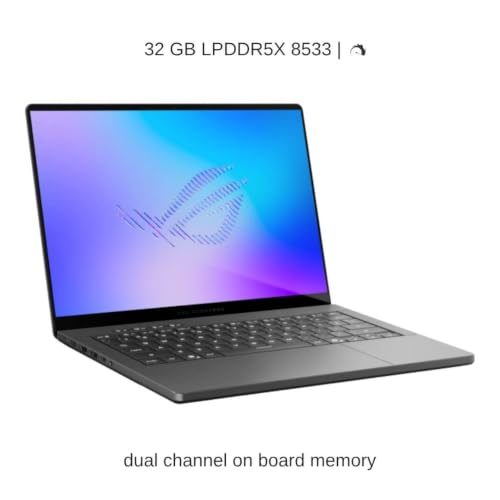
Fitting useful GPU power into a smaller travel kit is the G14's pitch. The question is whether that solves a problem you actually have. This GU405AR-XB96 configuration pairs an Intel Core Ultra 9 386H with a 12GB RTX 5070 Ti, 32GB of memory, a 1TB SSD, and a 3K OLED, running Windows 11 Pro in an Eclipse Gray chassis.
The creator-and-gaming overlap is real, but not universal. A graphics processor can serve both workloads when the application uses it; that does not mean a high frame rate predicts a fast video export. Think of this as a way to carry one Windows machine for two jobs, rather than evidence that every creator needs gaming hardware. The recommendation gets weaker when one of those jobs barely uses the GPU.
The linked model is HIDevolution's GU405AR-XB96-HID1. It matches the configuration above, with Gelid GC Extreme applied to the GPU and seller-stated one-year coverage. We found no independent measurement establishing a benefit from that modification. The factory-unit results below provide context, not a thermal or acoustic guarantee for that build.
Real GPU wattage in a bag-sized chassis
There is more to compact graphics performance than the chip name. ASUS specifies different GPU power limits for Turbo and Manual mode, shown in the table above. Those limits describe an operating envelope, not a promise that every export uses the maximum. An app waiting on decoding, storage, or a CPU-bound effect may have little reason to use the extra graphics power.
NVIDIA matters through software, not logos. Blender's Cycles renderer supports CUDA and OptiX alongside alternatives for AMD, Intel, and Apple hardware. NVIDIA therefore isn't the only route to GPU rendering. Start with the renderer and plugins you actually use: check the supported hardware, application version, and driver requirements together. A CUDA requirement makes this GPU relevant; simply using an app with a 'creative' label does not. Gaming can still be a good reason to choose it, provided you value that second job enough to pay for it.
Ultrabookreview tested a 64GB/2TB GU405AR, not this retail build. Its Manual profile gained roughly 5% in GPU scores over Turbo while noise rose from about 48 to 52 dBA; mixed-load improvements were limited. Performance mode was quieter. Our starting point would be Performance for interactive work, then compare a real export in Turbo. Keep the faster setting when the time saved matters and the noise is acceptable. There is no need to chase a maximum simply because the control exists.
Tom's Guide's comparison also resists a simple 'newer is faster' story. Its 2026 G14 and 2025 RTX 5080 model traded places across games. A Handbrake 4K-to-1080p transcode took 3:19 on the newer laptop against 3:12 on the older one. That is one workload on different configurations, not a controlled CPU-generation comparison or a Premiere export test. It is enough to reject a blanket upgrade claim, not enough to rank every creative task.
How the G14 lines up with real creator workloads
These are research-based buying judgments, not Pickori measurements or guarantees for every project. The useful question is where this configuration fits your work and where to test its limits.
| Workload | Outlook | What to expect |
|---|---|---|
| 4K editing in Premiere Pro | Capable, with a fixed ceiling | A sensible candidate for supported GPU-accelerated work. Try a representative project with its normal effects, media, and background apps; resolution alone does not describe the load. |
| Proxy editing on the road | A useful workflow to try | Proxies can ease scrubbing, but Premiere exports from full-resolution originals by default, so smooth editing says little about export time. Keep originals on a drive you'll have at export. |
| GPU rendering in Blender Cycles | Strong fit if your tools expect NVIDIA | Check the supported rendering backend and plugins together. Load the heaviest scene you expect to use; a compatible GPU does not guarantee enough capacity for every project. |
| Long exports and transcodes | Plug in and expect fan noise | Compare the actual delivery job on the dedicated adapter in Performance and Turbo. A faster profile is worth using only when its result and noise suit the situation. |
| Gaming between projects | Very good for its size | A credible second role for this machine. Check measurements for the games and settings you care about; an average from another title does not promise a smooth native-resolution experience. |
This is an attractive two-job laptop when your creative applications and your games both benefit from the hardware. If only occasional recreation needs the expensive GPU, acknowledge that honestly in the budget. There is nothing wrong with buying a laptop partly for enjoyment; it is a different decision from claiming the purchase is necessary for work.

Living with the OLED, the fans, and the brick
The screen is a more convincing reason to inspect the newer G14 in person. Notebookcheck's 32GB/1TB sample had a bright, well-calibrated OLED. The retailer's 1,100-nit peak figure refers to HDR highlights, not a white desktop at constant brightness. Treat the panel as a useful previewing surface, not automatic certification of a finished grade. Check your delivery color space and the appearance of familiar material under your normal room lighting, rather than judging accuracy by how vivid a demonstration looks.
The practical noise question is not whether you can tolerate fans in headphones. It is whether someone else can hear them in your recording. Light-use quietness and sustained GPU-load noise describe different jobs. Try your actual microphone position with the work you plan to run during a call or voiceover. A quieter profile may help, but it is not a promise of clean audio; scheduling the export after recording can be the better solution.
The full-size SD reader and built-in HDMI are useful everyday conveniences, especially alongside USB-A and USB-C. Make the port plan specific: a camera using CFexpress still needs a suitable reader, and a USB-C cable that charges a phone may not carry the display or data connection you expect. Check the labels and capabilities of your dock, cable, and drive as a set. Count what you connect simultaneously before assuming the compact laptop eliminates every adapter.
Ultrabookreview weighed its charger and cables at 0.72kg. Added to the official laptop weight, that makes roughly 2.3kg for a comparable powered kit, an estimate rather than a measurement of the linked package. The compact footprint can still make that kit easier to pack, but do not compare it with another laptop's bare weight. Add the charger, external drive, and any reader you actually need on the same day.

Where 14 inches and soldered memory run out
An excellent panel is not a large one. Arrange your timeline, viewer, bins, and effects controls at a text size you could read comfortably for an hour. Then notice which tools you keep hiding to make room. Pixel count doesn't create physical space. If the layout forces constant rearranging, try the same workspace on a larger display before paying for a faster GPU.
Adobe recommends 32GB or more for 4K and higher; meeting that recommendation is a starting point, not proof that a layered project fits comfortably. Check remaining headroom with your normal background applications open, not just an empty desktop and one demonstration file. Graphics memory does not act as extra general-purpose RAM. Nor does the 64GB unit in one independent review establish an upgrade path for the US configuration linked here.
Notebookcheck's Wi-Fi browsing run lasted 14 hours 22 minutes at 150 nits and 8 hours 18 minutes at maximum brightness. Tom's Guide reported 8 hours 32 minutes of web use, without enough matched test details to establish why its result differs. Brightness clearly mattered in Notebookcheck's own comparison, but that does not prove it explains the other outlet's result. Averaging the numbers would conceal the uncertainty rather than produce a useful forecast.
Neither browsing result answers how long your editing session will last. Test a representative stretch of your own work at comfortable brightness, including the peripherals you normally use, and plan a reserve rather than extrapolating a perfect full day. Notebookcheck also observed PWM dimming; if screen flicker has bothered you before, try this display during the return period instead of assuming another person's comfortable experience settles yours.
USB-C changes the power budget too. Ultrabookreview's 100W USB-C tests produced much lower GPU scores than Turbo on the dedicated adapter. That does not translate into a fixed slowdown for every task: reviewing clips and changing captions are different from a sustained GPU render. A smaller charger can make sense when the day's work fits that reduced capability. Test the combination before depending on it for a delivery deadline.
Does the portability premium pay for itself?
EXCaliberPC listed the factory GU405AR-XB96 at $3,499.99 on October 21, 2026. That is a dated factory-model reference, not the price of the modified Amazon offer. At this level, we would want a clear benefit from the smaller chassis. Do not pay extra for a thermal modification on the assumption that it improves performance; compare the actual price, support, and purchase terms.
Think about what the same budget does in a 16-inch chassis: more screen for timelines, potentially more memory, and more physical room for cooling. The G14 gives those up in exchange for a machine you'll actually take with you. That exchange is excellent for some buyers and pointless for others.
So count carry days, not job titles. If the laptop leaves your desk two or three days a week and you do GPU work on some of those days, the compact shell earns its premium on every trip. If it travels twice a year, a 16-inch machine and a decent backpack make more sense. That's Pickori's rule of thumb rather than a formula, and it's more useful than asking whether you count as a professional.
Price the workflow, not just the laptop. Reserve room in the budget for enough working storage and a backup that is separate from the drive you carry. A bigger SSD can solve a capacity problem, but it cannot recover footage lost with the bag. For a creator still building a setup, a less expensive machine plus reliable storage and audio may improve the finished work more than a premium chassis.
A larger Windows alternative also needs a fair comparison. Match the application requirement and useful memory capacity before comparing the final bill. The same GPU name does not guarantee the same sustained behavior, and a better screen is only valuable if you actually use it. For someone already docked to a good monitor, compare the cost of keeping that setup against paying to shrink the computer underneath it.
Existing G14 owners should start by writing down what their machine prevents them from doing. Is it a recurring export delay, a project that will not fit, or a travel setup too awkward to bring? Then ask whether this configuration changes that specific limitation. A new release can be excellent without being a worthwhile replacement for the laptop already on your desk.
Use the return window to find your real bottleneck
Use a copy of one real project, not a benchmark demo, and change one thing at a time. If scrubbing stutters, try proxies with the same effects, then separately try bypassing the effects. If one change helps, it narrows what to investigate without proving a single culprit. If only the final export disappoints, test your actual delivery format and encoder settings rather than assuming the GPU is slow. For lag with several apps open, compare the same job with unnecessary apps closed and watch memory and disk activity together. Heavy disk activity alone does not prove paging; cache, media reads, and background tasks can also cause it.
For a slow 3D render, confirm the selected backend and supported devices in the version of Blender you use, then test the real scene and plugins. Capture the result and settings so you can repeat it rather than relying on memory. NVIDIA recommends Studio Drivers for creative-work priorities; they still support games. Check application-specific requirements before changing drivers, and verify your essential apps afterward. Keep software changes away from a deadline. If the session's biggest interruption is panel juggling, stop tuning performance and compare a physically larger screen.
Set it up for two places: the desk and the road
At the desk, give demanding work a repeatable setup: dedicated power, a hard surface with clear vents, and the storage you actually edit from. Compare an export in your chosen modes before deciding on a default. If you use an external screen, test its intended resolution and refresh rate through the exact cable or dock, then disconnect and reconnect once. A setup that survives that ordinary transition is more useful than a benchmark number you cannot reproduce.
On a travel day, decide whether you need to finish a job or only advance it. Selecting footage, writing captions, and rough cutting may fit a lighter power setup; a deadline that requires rendering on location calls for testing and packing the full kit. Proxies can reduce editing load, but generating them takes time and storage. Before leaving, open the project with only the drives you plan to carry and confirm all required media is present. Keep a separate backup and eject drives safely. That rehearsal catches a missing-file problem before a faster processor has any chance to be irrelevant.
Who this product fits
Travel videographer who delivers from hotel rooms
Worth shortlisting when you move between shoots and powered editing stops. Bring a representative job through import, editing, and delivery before committing. The advantage is a compact machine you can use in several places, not a promise that every stage works equally well on a train or on battery.
YouTuber editing at one desk all week
Start with the Lenovo Pro 9i Aura Edition Gen 11 or another larger-screen option. If you already own a good monitor, compare complete docked setups instead. The G14 can work there too, but its main advantage is easy to stop noticing when it never leaves the desk.
3D artist with CUDA plugins and a commute
A credible fit if the required renderer, plugin versions, and project size all check out. Test a complete render rather than treating a CUDA label as universal compatibility. Keep the setup that works documented so a later application update does not leave you guessing what changed.
What else to compare
Start with these alternatives when another workflow matters more.


ASUS ROG Zephyrus G14 (2026) FAQ
Can you upgrade the RAM in the 2026 Zephyrus G14?
Not on the US GU405AR-XB96. Its 32GB is soldered with no slots. Storage can be upgraded, but the single M.2 slot means you replace the 1TB drive rather than add a second.
Does the Zephyrus G14 run at full performance on USB-C or battery?
Not at the same GPU power limits. Smaller charging setups can be useful for lighter tasks, but do not assume they reproduce dedicated-adapter results. Try the work you need to finish, not just whether the battery icon says charging.
Is the RTX 5070 Ti G14 faster than last year's RTX 5080 model?
The available comparisons do not establish a universal winner. More importantly, a benchmark difference is not an upgrade reason unless it improves something that affects your work. Compare the exact job and configuration, not just the generation and GPU names.
Is the Zephyrus G14 a better creator choice than a MacBook Pro?
Choose around the applications, plugins, collaboration requirements, and games you use. The G14 is relevant when Windows or NVIDIA compatibility matters; a Mac-only workflow points elsewhere. If either platform works, compare your actual project, preferred screen size, and complete travel kit rather than trying to equate GPU names.
Will you carry it often enough to justify it?
We would put the G14 on the shortlist for a creator who regularly moves between places and needs one capable Windows machine for work and games. That combination can make the compact chassis worth paying for. It does not make the laptop an automatic best buy for video editing, photography, or anyone with a growing audience.
Buy it when the size solves a problem you face repeatedly and your projects fit the configuration. Choose a larger workspace, more memory, or a less expensive setup when those make a bigger difference. The right creator laptop earns its place in the day you actually have, not the career you imagine its badge represents.
Sources and research notes
Independent evaluations
- GU405AR-XB96 factory configuration and dated priceEXCaliberPC
- GU405AR-XB96-HID1 configuration and modification detailsHIDevolution
- Zephyrus G14 GU405AR independent measurementsNotebookcheck
- Zephyrus G14 GU405 review and power-profile comparisonUltrabookreview
- Zephyrus G14 2026 independent reviewTom's Guide