
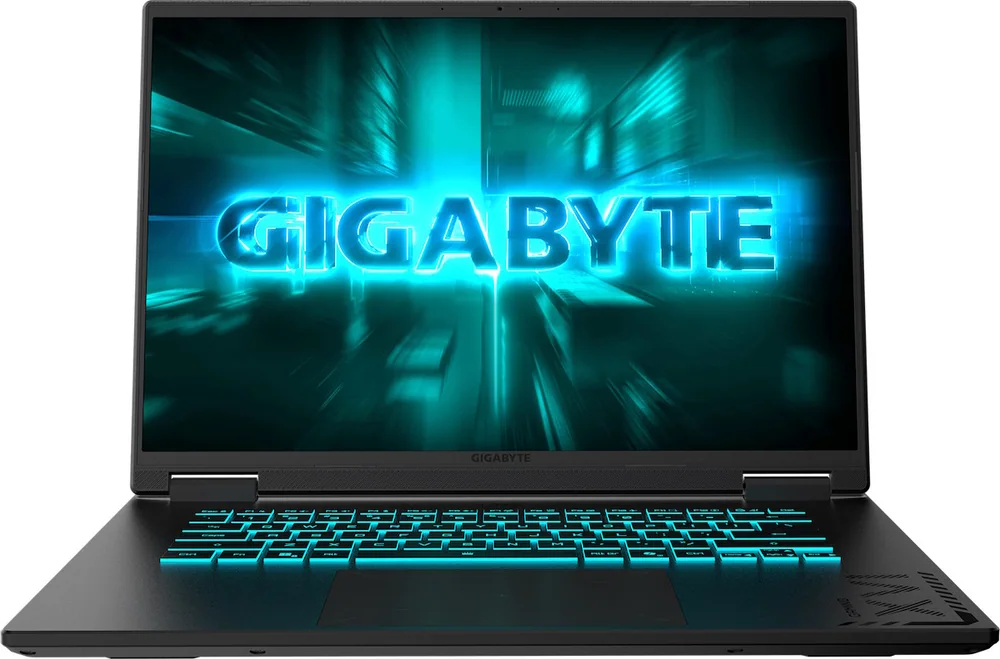
Pickori's Take
- Worth buying if its included 32GB of RAM and 1TB SSD, or a lower price, offset a real performance gap against higher-power RTX 5060 rivals.
- Best for esports and lighter competitive gaming, where the 165Hz panel and MUX switch actually get to matter against an 85W GPU ceiling.
- Skip it if you've found a similarly priced RTX 5060 laptop confirmed to run at a higher wattage; that extra GPU headroom outweighs this laptop's included memory advantage.
- The 85W power limit measurably trails a higher-wattage RTX 5060 by about 14% and 5-15fps in games averaging 30-60fps, a real tradeoff worth weighing against the price.
- Frame generation and the MUX switch improve visual smoothness and enable direct GPU output, but neither erases the native performance ceiling set by 85W.
- Battery life is short by design for gaming and only loosely established for general use, so plan to stay near an outlet during play sessions.
What the CVHI3US864SH configuration actually is
The Gigabyte Gaming A16 in this specific U.S. configuration pairs a Core i7-13620H with an Nvidia GeForce RTX 5060 Laptop GPU that independent identification confirms runs at 85 watts, not the higher power limits some RTX 5060 laptops ship with under the same GPU name. That distinction matters more than almost anything else on the spec sheet, because Nvidia allows manufacturers wide latitude in how much power they feed the same silicon, and 85W sits toward the conservative end of that range.
Gigabyte backs that GPU with 32GB of DDR5-5200 running in dual channel, a full 1TB PCIe 4.0 SSD, and a 16-inch 1920x1200 IPS panel refreshing at 165Hz. None of those choices are flashy on their own, but together they describe a machine that isn't trying to win a spec-sheet arms race on GPU wattage. Instead, it's spending its budget on memory capacity, storage capacity, and a panel resolution that its GPU can actually push meaningful frame rates on.
The i7-13620H itself is a known quantity by now: a 10-core, 16-thread chip with six performance cores and four efficiency cores, turboing up to 4.9GHz. It's a mainstream mobile processor rather than a top-tier one, but one professional test of this exact laptop found general CPU and system performance respectable, with strong single-core results, which lines up with what you'd expect from a chip that's had a couple of years to mature in laptop cooling designs.
The chassis itself was described in that same evaluation as having a restrained, business-casual appearance with thin bezels and a functional single-zone RGB keyboard, a look that skews closer to a general-purpose laptop that happens to game well than a laptop that screams its gaming intent from across a room. For buyers who want to bring this into a work meeting or a classroom without announcing what it's for, that restraint is doing real work.
A MUX switch is included, and it's arguably a more important spec than most buyers give it credit for. Without one, in some configurations rendered frames route through integrated graphics before reaching the display, adding latency and shaving off frame rate. With a MUX switch present here, the dedicated GPU can drive the display directly, which is the more meaningful performance lever for many games than the raw refresh-rate number printed on the box.
Connectivity rounds out the picture with Wi-Fi 6E, Bluetooth 5.2, Gigabit Ethernet, HDMI 2.1, a USB-C port with DisplayPort 1.4 and Power Delivery 3.0, two USB-A 3.2 ports, and a legacy USB-A 2.0 port. That's a broad enough spread that most buyers won't need a dongle bag just to plug in an external monitor and a wired mouse at the same time.
Where the configuration choices actually pay off
The RTX 5060 name shows up across many laptops, but it isn't one fixed part. Manufacturers set a power budget for each chassis, and that number, not the model name on the box, determines how the GPU actually performs. More power generally allows higher sustained clock speeds, but it also demands more cooling and more battery draw, which is why thinner or cheaper laptops are often tuned lower. The RTX 5060 in this Gigabyte configuration runs at 85W, a restrained setting relative to what the chip can do at higher wattages, and that ceiling is the single most consequential spec in this laptop.
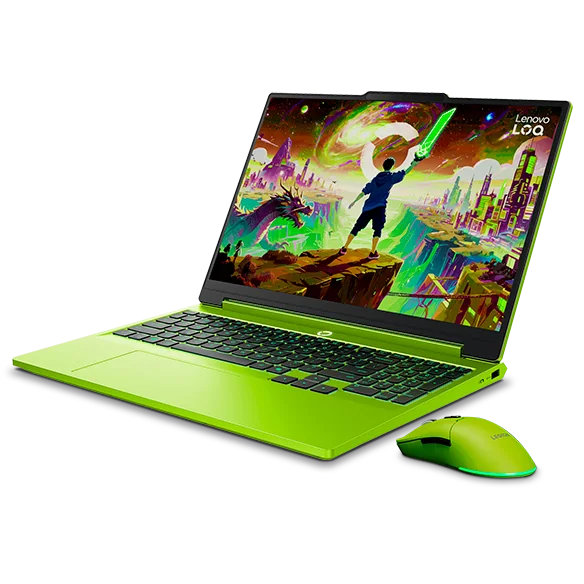
That restraint shows up clearly in independent testing of this exact model: it measured about 14% behind a similarly priced Lenovo LOQ 15 built around a higher-power RTX 5060, without upscaling. The gap typically landed in the 5 to 15fps range in games averaging 30 to 60fps, noticeable to anyone comparing the two side by side, though not the difference between playable and unplayable.
This is exactly why the 1920x1200 resolution on this laptop is a sensible choice rather than a corner cut. An 85W GPU has a real limit on how many pixels it can push at a playable frame rate, and asking it to fill a 1440p or higher panel would have widened the gap between the hardware's ambition and its actual output. At 1200p, the GPU renders fewer pixels per frame, which lets it reach frame rates worth having on a 165Hz panel in a meaningful number of games, particularly lighter or competitive titles.
The MUX switch and frame generation both help squeeze more out of the 85W budget, but neither one changes the underlying ceiling. The MUX switch removes a routing step between the GPU and the display, which is a genuine, if modest, efficiency gain. Frame generation inserts additional rendered frames to smooth out motion on screen, which can make a game look considerably smoother on a 165Hz panel. What it does not do is raise the native frame rate the game engine is actually computing, so the responsiveness of your inputs still reflects the lower number underneath the smoother visuals. Buyers chasing the highest possible frame rate for competitive purposes should weigh native numbers more heavily than frame-generation numbers for that reason.
The included 32GB of dual-channel memory and 1TB of storage matter more than they might seem to at first glance, because they remove a cost many competing laptops quietly push back onto the buyer. A rival RTX 5060 laptop that ships with 16GB and 512GB looks cheaper on a price tag until you add a RAM kit and a second SSD to bring it level, at which point the price gap can shrink or disappear entirely. Gigabyte doing that math up front, at the factory, is a genuine value decision, not just a marketing bullet point.
The upgrade path forward is asymmetric in a way worth understanding clearly. The chassis includes two PCIe Gen4x4 M.2 slots, and only one is occupied by the factory 1TB drive, which means adding a second SSD later is a straightforward, additive upgrade: buy a drive, install it, done. Memory works differently. Both SO-DIMM sockets are already filled with modules that combine for the factory 32GB, so reaching the supported 64GB maximum means removing and replacing both sticks with a new matched pair, not simply adding one. It's not a dealbreaker, since 32GB is already a comfortable amount for gaming and most productivity work, but buyers who assume they can casually add memory the way they can add storage should recalibrate that expectation now.
The 76Wh battery and 150W adapter are a sensible match for the components inside, and the inclusion of USB-C Power Delivery 3.0 is a genuine convenience for light-duty situations: charging from a compatible power bank, topping up from a USB-C dock at a desk, or traveling without the bulkier 150W brick for a day of email and browsing. What it is not, and what buyers shouldn't mistake it for, is proof that USB-C can replace the bundled adapter during an actual gaming session. Gigabyte specifies Power Delivery support, but not a full-performance USB-C gaming mode, so treat it as a backup and convenience option rather than the primary power source under load.
One evaluation of this exact configuration also noted that GiMate, Gigabyte's control software, was smoother and more thoughtfully implemented than expected. That's a modest point on its own, but software polish on a gaming laptop is often the difference between a fan curve and RGB setup you configure once and forget, versus one that requires regular fiddling. It's not a purchase-defining feature, but it's a point in the machine's favor rather than a hidden annoyance.
How this configuration should actually perform
The outlook below draws on the exact-model evidence available, the related GA6H configuration sharing the same CPU, GPU wattage, and panel, and a reasoned read of how an 85W RTX 5060 and this display interact.
| Workload | Outlook | What to expect |
|---|---|---|
| Esports and lighter competitive games | Strong fit | This is where the 165Hz panel and MUX switch combination genuinely pays off, since lighter titles ask less of an 85W GPU and can realistically approach the panel's refresh ceiling. |
| AAA games at native settings, no upscaling | Solidly playable, not near 165fps | A related configuration measured 67fps in Cyberpunk 2077 at 1200p Ultra, 56fps in Black Myth Wukong at 1200p High, and 78fps in Red Dead Redemption 2 at 1200p High/Ultra. Comfortable frame rates, but nowhere close to native 165fps. |
| AAA games with ray tracing and DLSS upscaling | Playable with tradeoffs | The related configuration measured 55fps in Cyberpunk 2077 at RT Medium with DLSS Quality, a reasonable result that demonstrates upscaling meaningfully helps an 85W GPU handle ray tracing. |
| AAA games with frame generation added | Smoother visuals, same underlying response | The same tests jumped to 96fps in Cyberpunk with 2X frame generation and 127fps in Black Myth Wukong with 3X frame generation, but these gains describe visual smoothness, not the input responsiveness of genuinely higher native frame rates. |
| General productivity and multitasking | Comfortable headroom | 32GB of dual-channel memory and a capable mainstream CPU should handle office work, browsers, and video calls with room to spare, and one professional test found strong single-core performance backing this up. |
| Sustained creative or CPU-heavy workloads | Adequate, not a workstation | The i7-13620H can handle occasional photo editing, light video work, or compiling, but it's a mainstream mobile chip, not a sustained-load workstation processor, so expect it to slow under long, heavy renders. |
The pattern across this evidence is consistent: this laptop performs well relative to its own power budget, and the 85W ceiling shows up most clearly only when it's directly compared against a higher-wattage RTX 5060 rival running the identical GPU name. In isolation, without that comparison, the frame rates from the related configuration's testing look entirely reasonable for a 1200p gaming laptop at this price.
The ray tracing and frame generation results are genuinely useful additions to the GPU's toolkit rather than gimmicks, but they work best understood as ways to improve visual smoothness and enable heavier settings, not as ways to erase the wattage gap against a stronger rival. A buyer chasing the highest possible frame rate for competitive purposes should weigh the native numbers more heavily than the frame-generation numbers.
None of this makes the 85W limit disqualifying on its own. It makes this laptop a better fit for buyers who value the included 32GB and 1TB, the panel's ordinary but sensible pairing with the GPU, and the restrained design, than for buyers whose only priority is maximum frames per dollar in demanding AAA titles.
Living with it day to day
For general productivity work, the i7-13620H and 32GB of dual-channel memory should feel comfortably ahead of what most buyers actually need: browser tabs, office documents, video calls, and light multitasking are well within this hardware's comfort zone, and the extra memory headroom over a 16GB configuration means background apps and larger browser sessions are less likely to force noticeable slowdowns years from now.
The 1080p IR webcam with Windows Hello support is a genuinely useful inclusion for anyone using this as a primary or hybrid work machine, since face-unlock convenience is still missing from a surprising number of gaming laptops in this price range that assume gamers don't care about it. Combined with the restrained business-casual design mentioned earlier, this is a laptop that can plausibly live in a backpack that also carries work materials without looking out of place.
A related GA6H configuration sharing this chassis, CPU, GPU wattage, and panel, but with 16GB of RAM instead of the exact model's 32GB, was described as having a plastic chassis with some flex under pressure, though that evaluation found no durability concern worth flagging. That same review described large, comfortable keys and a large touchpad, along with speakers that were decent but not particularly loud. Because that's evidence from a related configuration rather than this exact model, treat it as a reasonable indicator of build quality and input feel rather than a confirmed measurement of the 32GB unit specifically.
At 4.85 pounds and roughly 16 to 23mm thick depending on where you measure, this isn't a laptop built for daily commuting in a crowded bag. It's a desk-first machine that travels occasionally, and the 150W adapter it needs for full performance reinforces that identity rather than fighting it.
The one-zone RGB keyboard with up to 1.7mm of key travel is a reasonable middle ground for a laptop this size: not as satisfying as a mechanical-style deck, but enough travel to avoid feeling mushy during longer typing sessions or fast gaming inputs. It won't be the reason anyone buys this laptop, but it's not a weak point either.
The honest limitations worth planning around
The single biggest catch is the one already discussed at length: an 85W RTX 5060 is measurably behind a higher-power RTX 5060 in a similarly priced rival. One independent test recorded roughly a 14% average deficit against a Lenovo LOQ 15 running the same GPU name at a higher wattage, with typical per-game gaps of 5 to 15fps in titles averaging 30 to 60fps. If a shopper's alternative genuinely offers more GPU power for the same money and nothing else worse, that's a real reason to choose the alternative instead.
Frame generation is worth understanding clearly rather than treating as a free performance boost. One F1 24 comparison using DLSS and frame generation on this exact model showed a gap of roughly 40fps against the higher-power rival, and while frame generation can meaningfully improve how smooth a game looks on screen by inserting additional rendered frames, it does not convert a lower native frame rate into the same input responsiveness you'd get from genuinely higher native frame rates. The mouse and keyboard are still responding to the underlying, lower native rate; the extra frames improve visual fluidity, not the feel of your inputs landing. Competitive players especially should weigh this distinction before assuming a big frame-generation multiplier solves the 85W ceiling.
The 1920x1200 panel's 300-nit typical brightness rating is ordinary rather than impressive by current standards, and Gigabyte has not published color gamut coverage for this display. That's not necessarily disqualifying since it's paired sensibly with the GPU it sits above, as discussed earlier, but buyers hoping to also use this laptop for color-sensitive creative work or bright-room use outdoors should treat the display as unproven on those fronts rather than assume IPS technology alone guarantees good results.
Battery life is genuinely uncertain for this exact configuration. The only exact-model evidence available is 183 minutes, roughly three hours, in one PCMark gaming battery test, which measures sustained load rather than casual use. A related GA6H configuration with 16GB of RAM instead of 32GB reported roughly eight hours in mixed light use like browsing and office work, and roughly two hours while gaming. This is very likely a laptop you keep near an outlet during gaming sessions, with general-use battery life that should be treated as a secondary benefit rather than a reason to buy.
One professional test also flagged implausible sensor readings in HWiNFO and FrameView on the single sample evaluated. That's worth mentioning for transparency, but it should not be read as evidence of a broad hardware defect or instability across all units. It's a data point about one sample's telemetry reporting, not a confirmed pattern.
Finally, the plastic chassis noted in the related GA6H evaluation showing some flex under pressure is a reminder that this laptop's build materials prioritize weight and cost over the rigidity of metal-chassis competitors. That evaluation found no durability concern, but buyers who've owned all-metal laptops before may notice the difference in hand.
Who this product fits
You've found a same-priced RTX 5060 laptop with a confirmed higher wattage
Take the higher-power rival. A 14% average gap in demanding games is large enough that raw GPU headroom should win the comparison, unless that rival's RAM or storage is meaningfully worse and would cost you extra to fix.
You mostly play esports or lighter competitive titles
This is a comfortable fit. Lighter games ask less of the GPU, so the 85W ceiling matters far less here than it does in AAA titles, and the 165Hz panel and MUX switch have more room to actually be useful at these settings.
You want one laptop for both work or school and gaming
The 32GB of memory, Windows Hello webcam, and broad port selection make this a genuinely reasonable dual-purpose machine rather than a gaming laptop that merely tolerates other tasks. Not having to add RAM yourself is a real, practical advantage if you're juggling coursework and games on the same device.
You need long battery life away from an outlet
Plan around the charger. The only confirmed evidence for this exact 32GB configuration is 183 minutes under a gaming benchmark. A related 16GB configuration reported around eight hours of light use, but that's a different memory setup and shouldn't be assumed to carry over here.
What else to compare
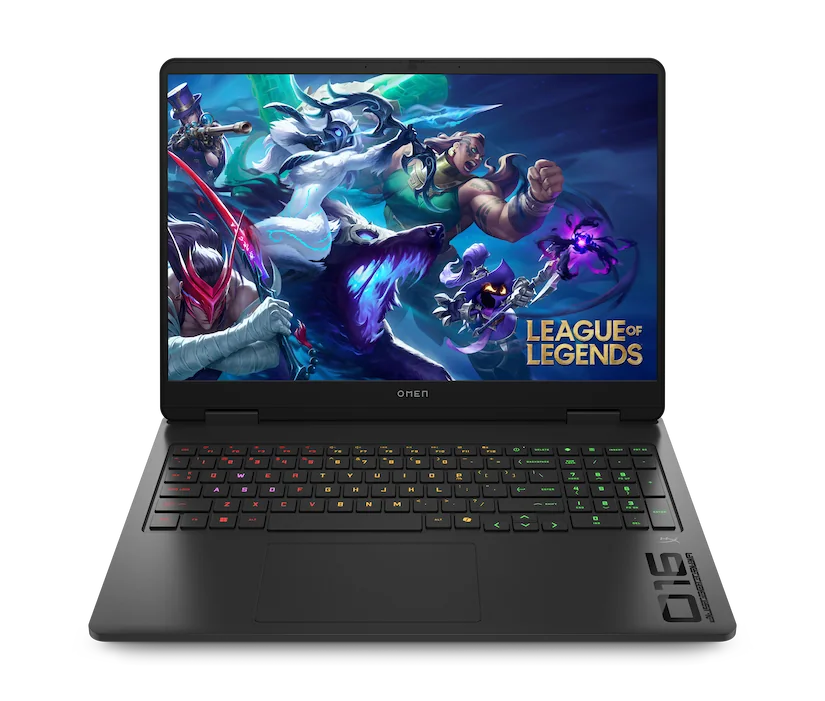
If you're weighing this against another RTX 5060 laptop at a similar price, two questions matter more than the GPU name on the spec sheet: what wattage is that GPU actually running at, and does the rival include RAM and storage comparable to what this A16 ships with standard, or will you need to pay to add them yourself.
Gigabyte Gaming A16 (CVHI3US864SH) FAQ
Is the RTX 5060 in this laptop the full-power version?
No. This exact model has been independently identified running the RTX 5060 at 85 watts, below the higher power limits available to other laptops using the same GPU name. That gap is the main reason it trailed a higher-wattage RTX 5060 rival by roughly 14% on average in one independent test.
Will games actually reach the 165Hz refresh rate?
Mainly lighter and competitive titles. In demanding AAA games, the 85W GPU generally won't push native frame rates anywhere near that ceiling at higher settings.
Does frame generation close the gap with a higher-power RTX 5060 laptop?
It improves how smooth games look on screen by adding extra rendered frames, and it can produce meaningful frame-rate increases in supported titles. What it doesn't do is give you the input responsiveness of a genuinely higher native frame rate, since your inputs are still tied to the underlying, lower base rate.
Does the 32GB of RAM help the RTX 5060's gaming performance?
It helps overall system responsiveness and multitasking, but it doesn't increase the discrete GPU's own VRAM bandwidth. The 8GB of GDDR7 on the GPU operates independently of the system's dual-channel DDR5.
Can I upgrade the RAM or storage later?
Storage, yes easily. There's an open second M.2 slot for a straightforward additive upgrade. RAM is trickier: both SO-DIMM sockets already hold the factory 32GB, so reaching the 64GB maximum means replacing both sticks rather than adding one.
Can I just charge this over USB-C instead of using the included adapter?
You can for light tasks or docking, since USB-C Power Delivery is supported. For actual gaming performance, the 150W adapter is still the adapter you want plugged in.
Is the battery life good enough for gaming away from a desk?
Not based on the evidence available. The 183-minute result in a gaming battery benchmark for this exact configuration points to a laptop that's meant to be plugged in during real gaming sessions, not one built for cord-free portability.
Sources and research notes
Specifications come from manufacturer documentation. Measured results are attributed to independent evaluations.
- GIGABYTE GAMING A16 GA6H specificationsGIGABYTE
Manufacturer specifications for the processor and GPU families, display options, memory and storage slots, ports, battery, adapter, dimensions, weight, webcam, and wireless connections.
- Intel Core i7-13620H processor specificationsIntel
Official processor launch timing, core and thread counts, clock speed, cache, and power specifications.
- Gigabyte Gaming A16 gaming laptop reviewPC Gamer
Exact CVHI3US864SH identity, 85W GPU configuration, game-performance comparison, factory memory and storage observations, system behavior, and the 183-minute PCMark gaming-battery result.
- GIGABYTE GAMING A16 CVHI3US864SH product listingBest Buy
US retail model identity and confirmation of the 32GB, 1TB, RTX 5060, and 1920 x 1200 configuration.
- GIGABYTE Gaming A16 (GA6H) reviewconnect Romania
Related-configuration observations covering native 1200p gaming, DLSS and frame generation, chassis and input quality, cooling behavior, and mixed-use battery life. The reviewed unit had 16GB rather than the exact U.S. model's 32GB.
Who should actually buy this configuration
Buy this Gigabyte configuration when its included 32GB of RAM and 1TB SSD, or a lower price, offset the real performance disadvantage against a higher-power RTX 5060 rival. It's also a sensible pick specifically for esports and lighter competitive gaming, where the 85W ceiling has less room to matter and the sensibly matched 1200p panel gets to do its job.
Skip it if you've confirmed a same-priced RTX 5060 laptop running at a genuinely higher wattage with comparable RAM and storage. At roughly equal prices, that extra GPU headroom is worth more than this laptop's included memory advantage, and the 85W limit here is a measured tradeoff, not a rumor.