

Pickori's Take
- Surface Laptop 8 is Pickori's recommendation for a premium, current-generation Windows productivity laptop. Windows on Arm needs to fit your software, so confirm that first, but for buyers who clear that bar, this is the Surface Laptop to buy right now.
- This configuration pairs a genuinely capable 12-core Snapdragon X2 Elite with a 3:2, 120Hz display that makes documents and browser tabs feel roomier than any 16:9 rival at this size.
- Battery life is where this configuration really delivers: a 13.8-inch Surface Laptop 8 with this same 12-core X2 Elite processor ran just under 14 hours of real mixed work in one independent evaluation, staying quiet through nearly all of it. That matters more day to day than any benchmark chart.
- The 16GB memory ceiling is the real catch: plenty for Office, browsing, and moderate photo work, but it caps how much of the X2 Elite's extra headroom you'll actually use in heavier multitasking or virtualization.
- Skip this exact listing if your work depends on x86-only drivers, kernel-level anti-cheat games, or specialized peripherals without confirmed Arm64 support, or if you already know you need 32GB or more memory.
- The keyboard, haptic touchpad, and build quality are as good as Surface gets, and the removable SSD gives you a real upgrade path even though the memory is fixed at purchase.
Microsoft's current flagship Surface Laptop, not a reinvention
Surface Laptop 8 slots in as Microsoft's 2026 consumer flagship in the Surface Laptop line, and the honest description of what changed is a platform swap wrapped in a familiar shell. The 13.8-inch aluminum chassis, the 3:2 screen proportions, the port layout: all of it will look immediately recognizable to anyone who's handled a Surface Laptop 7. What's actually new lives inside.
That new interior centers on Qualcomm's Snapdragon X2 platform. This exact Amazon listing, part number EP2-59488, pairs the 12-core X2 Elite with 16GB of LPDDR5x memory and a 512GB SSD in a platinum finish. It's the mainstream configuration in a lineup that scales up to 64GB of memory for buyers with heavier needs, which tells you something important: this isn't Microsoft's top-spec machine, it's the sensible middle.
The pitch here isn't a Copilot badge or an NPU number. It's a laptop built around a display that makes documents and spreadsheets easier to read than a wider 16:9 screen, a keyboard and touchpad that feel tuned by people who actually type for a living, and a chip platform mature enough that Arm compatibility isn't the first question every reviewer has to answer with caveats.
Keeping the chassis close to Surface Laptop 7 isn't laziness, it's restraint. The hinge, the feet, the keyboard deck, and the display assembly are all individually listed as serviceable parts, which suggests a company refining a good design rather than chasing a redesign for its own sake.
For shoppers comparing this against Windows laptops running Intel or AMD chips, the calculus has shifted meaningfully since the early Arm-based Surface attempts. This is a laptop built for people who've already decided Windows on Arm works for them, or are willing to spend a few minutes confirming it does before they buy.
The display and battery combination nobody else quite matches at this size
Start with the screen, because it's the single feature most likely to make a buyer's day-to-day work better. The 2304 x 1536, 3:2 panel packs 201 pixels per inch into a shape that shows noticeably more of a webpage or document than a standard 16:9 laptop screen of the same diagonal size. Anyone who spends hours in spreadsheets, long documents, or split-window multitasking will feel that extra vertical room within the first afternoon.
This screen is built for looking at, not just working on, and that's a genuine strength for anyone parked in front of it for eight hours a day. Brightness measured past 600 nits with roughly 1400:1 contrast and accurate sRGB and P3 coverage, with no PWM flicker, which is why colors and text stay crisp under normal office lighting. The catch is the glossy finish: sit near a bright window or try to use it outdoors and reflections become a real annoyance, and the panel's pixel response is measurably slow, a sensible trade for a display tuned toward reading and document work rather than fast motion.
Battery life is arguably the bigger story here, at least for the X2 Elite configuration, and it's worth separating from lighter benchmark claims. In one independent evaluation, a 13.8-inch Surface Laptop 8 running this same 12-core X2 Elite processor cleared just under 14 hours through genuinely demanding mixed work: more than 15 Chrome tabs open at once, Evernote note-taking, background chat apps, and several hours of Affinity photo editing. That's a busy-workday simulation, not a synthetic loop, and lasting nearly 14 hours through it says something real about efficiency. Worth flagging: that evaluation confirms the processor and 13.8-inch design, not necessarily an exact match to this listing's specific memory and storage configuration.
Don't mix up the X2 Elite's mixed-work endurance with the X2 Plus figures floating around, because they're testing different things on different hardware. The X2 Plus sibling posted nearly 19 hours in a lighter Wi-Fi browsing test at moderate brightness, falling to about 8 hours 42 minutes at max brightness. Microsoft's official numbers of up to 20 hours of video and 16 hours of web browsing were measured on that same X2 Plus platform at 16GB/512GB, not on the X2 Elite chip covered here, so those headline figures should be read as platform context rather than a promise for this specific configuration.
A laptop that stays quiet under normal use matters more than most spec sheets let on, and this one earns points there. In one evaluation, the fans stayed silent or nearly silent through typical workloads, only kicking in audibly under sustained heavy load, suggesting Microsoft tuned thermals for everyday tasks rather than constant max-effort cooling. Add in a haptic touchpad with adjustable click feel and a keyboard that held up well in the same evaluation, and the whole package reads less like a typical thin-and-light that strains under pressure and more like a device built with some mechanical care.
What the 12-core X2 Elite actually changes
The chip inside this configuration is Qualcomm's 12-core Snapdragon X2 Elite (six prime cores, six performance cores), not the 18-core X2 Elite Extreme found in higher-tier machines. Here's what that buys you across common workloads.
| Workload | Outlook | What to expect |
|---|---|---|
| Email, browser tabs, Office documents, video calls | Excellent, effortless | This is the workload Windows on Arm was built to win, and the X2 Elite has more headroom here than it will ever need to spend. Sixteen gigabytes of memory is comfortable even with a heavy browser habit. |
| Photo editing in Lightroom, Affinity, or similar Arm-compatible apps | Strong for most edits | Affinity photo editing holds up well here. In one independent evaluation, several hours of Affinity work fit into a mixed-work battery run without complaint, and batch exports and large RAW files benefit from the extra cores over the prior generation. Just know that 16GB will start to pinch on very large multi-layer files. |
| Video export and compiling code | Good, not high-end | The 12-core X2 Elite delivers a real, usable step up: a 16 to 20 percent single-core gain and roughly 10 percent graphics gain over the previous Surface generation, per published testing. That's not a leap, though. Sustained heavy compiles or long renders are where the fixed 16GB ceiling starts to matter more than raw CPU speed. |
| Modern, demanding PC gaming | Not the point of this machine | Integrated Adreno graphics handle light or older titles fine, but current, demanding games like Cyberpunk 2077 and Baldur's Gate 3 fell short of a comfortable 30fps at native 1080p in testing of the sibling X2 Plus chip. The 120Hz screen is for scrolling and touch response, not frame rates. |
| Windows on Arm software compatibility | Mostly smooth, with real exceptions | Mainstream productivity software runs natively or emulates well. Specialized drivers, VPN clients, security software, and anti-cheat games remain the categories worth checking before you buy. |
| All-day mixed office work away from a charger | Genuinely long | This machine covers a full workday with margin. In one independent evaluation, a 13.8-inch Surface Laptop 8 with this same X2 Elite processor ran just under 14 hours doing 15-plus Chrome tabs, note-taking, chat apps, and photo editing. |
The honest read on X2 Elite is that it's a meaningful but not dramatic step over the previous Surface generation's Arm chip. Independent testing measured single-core gains in the 16 to 20 percent range and roughly 10 percent better graphics throughput, which translates into a machine that feels snappier opening apps and juggling tabs, not one that suddenly handles workloads it couldn't touch before.
Where the chip earns its keep is in sustained, multi-threaded tasks: batch photo processing, longer compiles, exports that used to make a laptop fan spin up and stay up. One evaluation found the fans mostly silent through a full day of mixed work, only becoming audible under real load, which says as much about efficient chip design as it does about Microsoft's cooling.
The ceiling here isn't the processor, it's the 16GB of memory sitting next to it. For anyone whose day is email, browsers, documents, and the occasional photo edit, that's a non-issue. For anyone running several virtual machines, juggling huge creative files, or planning to keep this laptop for four or five years of increasingly memory-hungry software, the X2 Elite has more to give than 16GB will let it.
Gaming deserves one blunt sentence: this is not a gaming laptop, and the 120Hz refresh rate is there for the desktop and touch experience, not for frame rates in current titles.


Living with it: keyboard, ports, and a service-friendly SSD
Pick this laptop up for a normal day of work and the first thing you'll notice isn't the chip, it's the keyboard and touchpad. The precision haptic touchpad uses advanced haptic signals for certain Windows interactions and lets you adjust click sensitivity, a small detail that matters more than it sounds once you're clicking through hundreds of times a day. Both the keyboard and touchpad rated among the best in this laptop's class in one independent evaluation.
Port selection is where Microsoft asks for a small compromise. You get two USB-C/USB4 ports that handle charging, data, and DisplayPort, plus one USB-A port and a headphone jack, alongside the magnetic Surface Connect port. There's no built-in HDMI, no Ethernet, and no memory card slot on this 13.8-inch consumer model. If your workflow leans on an SD card reader for photo transfers, you'll be adding a dongle.
Storage is the pleasant surprise in an era of increasingly sealed laptops. The 512GB SSD in this configuration is a genuine M.2 2230 module that Microsoft lists as a replaceable service part, and independent teardown access confirmed you can actually get to it. Expect roughly 397GB usable once Windows and preinstalled software claim their share. Memory, unlike storage, is soldered to the motherboard assembly and fixed at 16GB for the life of this configuration.
Wi-Fi 7 support means this laptop is ready for fast home or office networks: one independent test measured very fast throughput with a matching router and no signal issues. Bluetooth 5.4 rounds out the connectivity picture for peripherals.
Security and login are handled through an IR camera for Windows Hello facial recognition alongside the 1080p Surface Studio Camera, which uses Windows Studio Effects for background blur and framing during video calls. Microsoft's secured-core PC design with Pluton and TPM 2.0 gives IT-conscious buyers an enterprise-grade security foundation without needing the business SKU.
Charging works through either USB-C or the magnetic Surface Connect port, with Microsoft specifying a minimum 65W supply for fast charging. That flexibility means you can top up with a USB-C charger you already own for travel, or use the Surface Connect cable at your desk without occupying a data port.
The 16GB question you need to answer before buying
Here's the honest tension at the center of this specific configuration: Microsoft put a 12-core X2 Elite processor, its faster consumer Arm chip, into a machine capped at 16GB of memory. That's not a bad pairing, it's an uneven one. The CPU has more sustained multitasking capacity than 16GB will let you use in the heaviest scenarios.
For the buyer doing Office, email, browsing, video calls, and moderate photo editing, this is a non-issue. Sixteen gigabytes handles that workload with room to spare. The problem shows up for buyers running several virtual machines, working with very large creative files, or planning to keep this laptop for four or five years while software memory demands keep climbing. Those buyers will hit the RAM wall well before the processor breaks a sweat.
Because the memory is part of the fixed motherboard assembly, there's no upgrade path later. Whatever you buy today is what you own for the life of the machine, which makes the memory decision, more than the processor decision, the one to think hardest about at checkout, especially since Microsoft offers this same X2 Elite platform in 32GB and 64GB configurations for buyers who know they'll need it.
Windows on Arm compatibility is the second catch, and it's narrower than early Arm-based Windows machines but not zero. Specialized printer and scanner drivers, certain VPN clients, security software tied to specific hardware, older peripherals without updated drivers, and games using kernel-level anti-cheat remain real exceptions. None of these are dealbreakers for a mainstream productivity buyer, but they're worth five minutes of research before you commit.
One more small catch worth flagging: the chassis is close enough to Surface Laptop 7 that current owners shouldn't expect a dramatically different physical experience. The upgrade case here is about processor headroom, battery methodology, and higher memory ceilings available elsewhere in the lineup, not a new look or feel.
Will your software actually run on Windows on Arm?
Run a quick mental audit before buying. If your daily software list is Microsoft 365, Edge or Chrome, Slack, Zoom, Teams, and cloud-based tools, you're in low-risk territory. These either run natively on Arm64 or emulate so cleanly that most people never notice the difference. Common Adobe and Affinity creative apps generally fall into this same safe category now, a big shift from earlier Arm-based Surface generations.
The risk concentrates in a specific set of categories: hardware drivers for printers, scanners, and audio interfaces that haven't been updated for Arm; VPN clients and security software tied to specific vendor builds; virtualization software that expects an x86/x64 host; and PC games using kernel-level anti-cheat systems, which often refuse to run in emulation by design.
The practical move is to search the exact name of your must-have software plus 'Arm' or 'Windows on Arm' before buying. If it's a mainstream productivity or creative tool, you'll almost certainly find confirmation it works. If it's a niche industry tool, an old printer driver, or a competitive online game, verify it directly rather than assuming emulation will save you.
If even one item on your must-have list can't be confirmed, that's reason enough to choose an Intel or AMD Windows laptop instead. Everything else about this Surface Laptop 8 configuration is strong enough that software compatibility is genuinely the deciding factor for a meaningful slice of buyers.
Does the X2 Elite processor make sense with only 16GB of memory?
Think of it as a car with a strong engine and a small gas tank: the engine can go faster, but the tank determines how far you get before something has to give. The 12-core X2 Elite has real multitasking and sustained-load capacity, with independent single-core and graphics measurements showing meaningful gains over the prior Surface generation. Sixteen gigabytes of memory, though, is the same amount Microsoft offers on far less powerful configurations in this same lineup.
The pairing is well balanced for a specific buyer: someone who wants faster everyday responsiveness, quicker photo batch processing, and better multitasking headroom than a base-tier Surface, but whose actual memory footprint stays modest, meaning a browser with dozens of tabs, one or two creative apps open at once, and normal communication tools running simultaneously.
The pairing becomes lopsided for a different buyer: anyone running multiple virtual machines, doing large-format creative work with many layers or high-resolution assets, or planning to keep this laptop as a primary machine for four-plus years while software grows hungrier for RAM. That buyer will find the CPU idling below its potential while memory pressure forces background app closures or slower performance under load.
If you fall into that second group, the fix isn't a different processor, it's a different configuration. Microsoft sells this same X2 Elite platform with 32GB or 64GB of memory. Spend the extra money there rather than on this 16GB listing, because you're not getting a slower chip either way, just more room for the chip to actually work.
Surface Laptop 6, 7, or 8: which generation is actually worth buying
So where does that leave Surface Laptop 6, Surface Laptop 7, and Surface Laptop 8 relative to each other? Laptop 6 is still worth considering if compatibility is your main concern. Its Intel Core Ultra 7 165H processor runs on the same x86 architecture that most Windows software, legacy business tools, and specialized drivers were built for, which generally lowers the risk of running into a program, dock, or peripheral that refuses to cooperate. That is not the same as a guarantee. Some older utilities, niche hardware, and low-level tools can still behave unpredictably on any Windows machine, and Laptop 6 is no exception. If you have a genuine reason to worry about ARM compatibility, or if Laptop 6 shows up at a price that is hard to ignore, it earns a real look. If you do not have that specific concern, the newer chassis, faster 120Hz displays, and haptic touchpads on Laptop 7 and Laptop 8 make more sense for most buyers.
Surface Laptop 7 is the value pick for most ordinary buyers. It already delivers the 3:2 display, the haptic touchpad, and most of the modern Surface feel that makes Laptop 8 appealing. If your daily workload is Office, browsing, email, and video calls, Laptop 7 at a meaningful discount will feel nearly identical in daily use, and the money saved is real money, not a compromise you'll feel every day.
Surface Laptop 8 earns its premium through processor headroom, a stronger official battery claim, a doubled NPU rating, and access to higher memory and storage ceilings elsewhere in the lineup. The case for choosing it over Laptop 7 is strongest for buyers who do sustained heavier work, want the longest possible battery runway, or plan to configure well above 16GB of memory for long-term use.
Existing Surface Laptop 7 owners specifically should not upgrade for the exterior, since the chassis is largely unchanged, and shouldn't upgrade purely for everyday Office responsiveness either, since that gain is incremental rather than transformative. The upgrade case strengthens considerably for battery life, sustained multi-threaded work, or a jump to a higher-memory Laptop 8 configuration for long ownership.
Who this product fits
The remote worker who lives in a browser and video calls
This configuration is close to ideal. The 3:2 display makes video calls and shared documents easier to read, one independent evaluation found the battery comfortably covers a workday of meetings and email, and 16GB of memory handles dozens of open tabs without strain. Confirm your VPN client supports Arm and you're set.
The creative freelancer editing photos between client calls
Affinity and similar Arm-compatible photo editors ran smoothly in one independent evaluation of this platform, and the X2 Elite's extra cores help with batch exports. Watch file sizes: very large multi-layer projects will bump against the 16GB ceiling faster than they would on a higher-memory configuration.
The developer who needs multiple virtual machines running at once
This is the buyer who should look past this exact listing. The X2 Elite processor has the horsepower for demanding development work, but 16GB will get squeezed fast running several VMs simultaneously. A 32GB Surface Laptop 8 configuration delivers the same processor without the memory bottleneck.
The Surface Laptop 7 owner wondering if it's time to upgrade
For pure Office-and-browser work, the everyday feel won't change enough to justify the cost. The upgrade makes more sense if longer battery life, sustained heavier workloads, or a jump to more memory are things you actually need, since the exterior and core keyboard-and-trackpad experience are largely carried over.
What else to compare
A few nearby choices are worth weighing before you commit to this exact configuration.
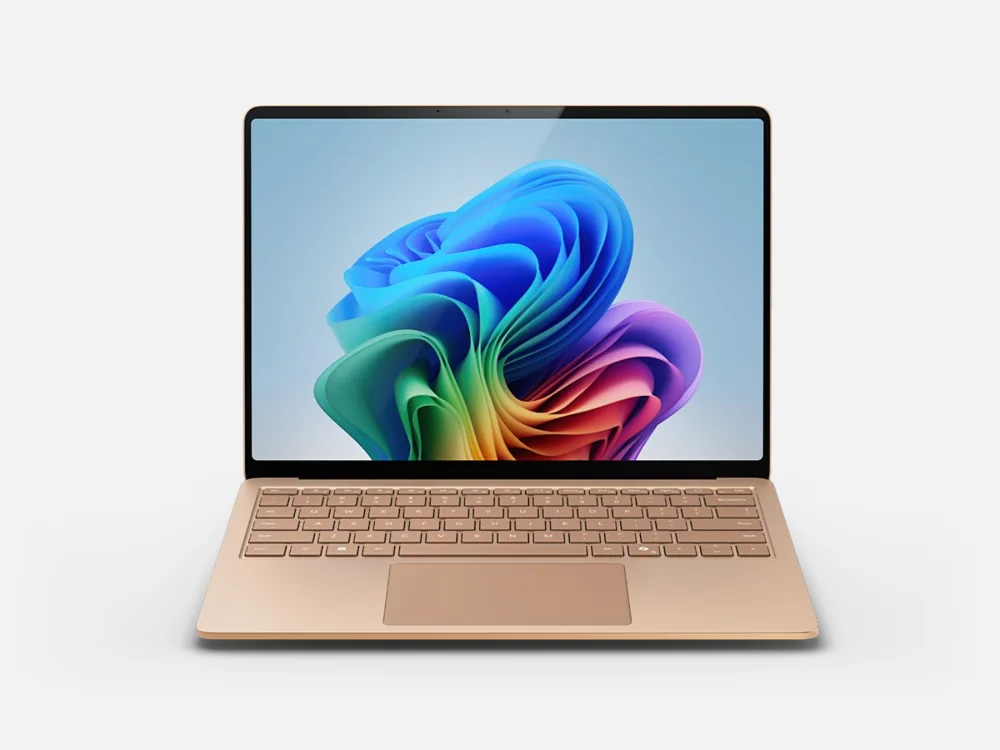 Microsoft Surface Laptop 7The prior-generation value choice for mainstream Office, browser, study, and communication work
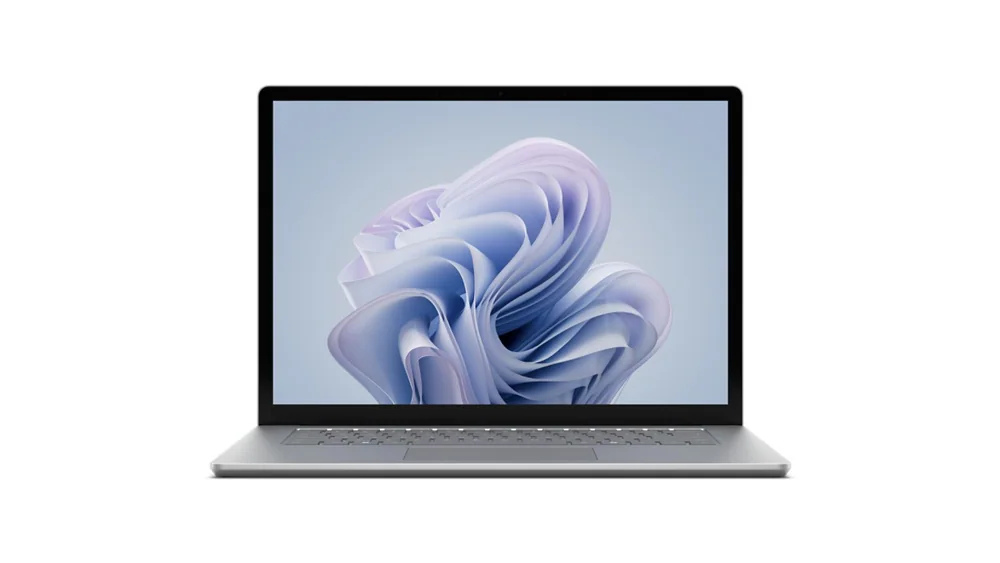 Microsoft Surface Laptop 6The compatibility-first Intel Surface for specialized x86 software, drivers, and existing business hardware
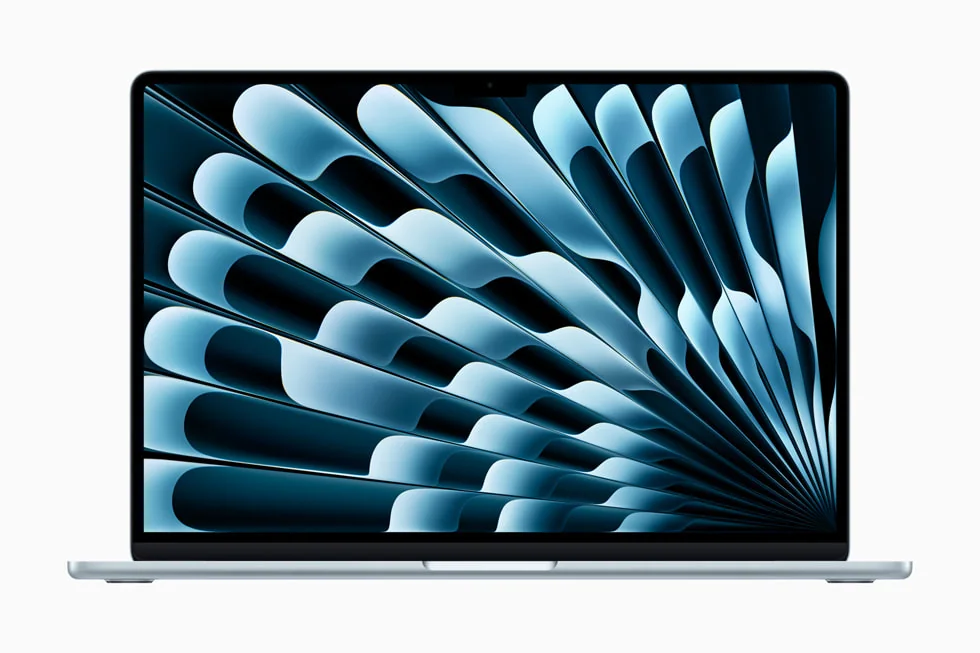 Apple MacBook Air 13-inch (M4, 2025)A thinner fanless alternative with mature Apple-silicon software support when macOS fits the buyer
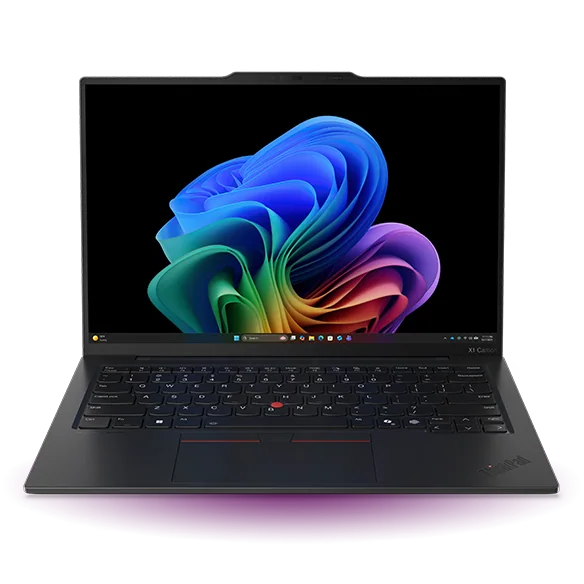 Lenovo ThinkPad X1 Carbon Gen 13 Aura EditionA lighter premium Intel business laptop with more built-in ports and lower compatibility risk
Microsoft Surface Laptop 8 FAQ
Is the Microsoft Surface Laptop 8 good for gaming?
No. Integrated Adreno graphics handle light or older games fine, but in one independent evaluation of the related X2 Plus chip, current, demanding titles fell short of a comfortable 30fps at native 1080p. Treat the 120Hz display as a productivity feature, not a gaming one.
Can I upgrade the RAM on Surface Laptop 8 later?
No. The 16GB of LPDDR5x memory in this configuration is part of the motherboard assembly and cannot be upgraded after purchase. If you might need more memory down the road, buy a higher-memory configuration now rather than planning to upgrade later.
Does Windows on Arm run my normal software?
Mainstream productivity software, browsers, Office, and most common creative apps run natively or emulate cleanly on this platform. Specialized drivers, certain VPN and security clients, and games with kernel-level anti-cheat remain the categories worth checking before buying.
How long does the battery actually last?
In one independent evaluation, a 13.8-inch Surface Laptop 8 with this same 12-core X2 Elite processor ran just under 14 hours of real mixed work, including heavy browser tab use and photo editing. Microsoft's official 20-hour video and 16-hour web browsing figures were measured on a related X2 Plus configuration, not this exact chip.
Does the 13.8-inch Surface Laptop 8 have an SD card reader or HDMI port?
No. This consumer configuration has two USB-C/USB4 ports, one USB-A port, a headphone jack, and Surface Connect, but no built-in HDMI, Ethernet, or memory card reader.
Is the X2 Elite processor worth it over the X2 Plus?
One evaluation found the X2 Plus already close enough in overall experience that the Elite upgrade makes the most sense when paired with more memory or storage, not on its own. If you're buying this exact 16GB configuration mainly for Office and browsing, the difference will be hard to feel.
Can I replace the SSD in Surface Laptop 8?
Yes. The 512GB M.2 2230 SSD in this configuration is listed by Microsoft as a genuine replaceable service part, and independent teardown access confirmed the drive can be reached and swapped by a qualified technician.
Should I buy Surface Laptop 8 or wait for a discounted Surface Laptop 7?
If your work is mainly Office, email, and browsing, a meaningfully discounted Surface Laptop 7 delivers most of the same daily experience for less money. Choose Surface Laptop 8 if you want stronger sustained performance, better official battery life, or access to higher memory configurations.
Sources and research notes
Specifications come from manufacturer documentation. Measured results are attributed to independent evaluations.
- Surface Laptop 8th EditionMicrosoft
- Compare Surface Laptop 8th Edition and Surface Laptop 7th EditionMicrosoft
- Surface Laptop 8th Edition featuresMicrosoft Support
- Surface battery evaluation and estimated performanceMicrosoft Support
- Surface Laptop 8th Edition device information and service partsMicrosoft Learn
- Snapdragon X2 Elite product briefQualcomm
- Snapdragon X2 Plus is much faster: Microsoft Surface Laptop 13.8 2026 ReviewNotebookcheck
- Microsoft Surface Laptop 8 review: a quality PC whose trackpad taps you backThe Guardian
So, is this the Surface Laptop to buy?
For the buyer who's already decided Windows on Arm fits their software and wants Microsoft's best current consumer clamshell, yes, decisively. The display alone justifies a long look, the battery holds up under real mixed work rather than just synthetic benchmarks, and the keyboard and touchpad are as good as this category gets. Quiet daily operation and a serviceable SSD round out a machine built to be lived with for years, not just unboxed and admired.
The one real judgment call left to the buyer is memory. This exact 16GB configuration is the sensible mainstream pick for Office, browsing, and moderate creative work, not the configuration for VM-heavy developers or buyers planning five years of increasingly memory-hungry software. Know which buyer you are, confirm your must-have software runs on Arm, and this becomes one of the easiest recommendations in premium Windows laptops right now.