
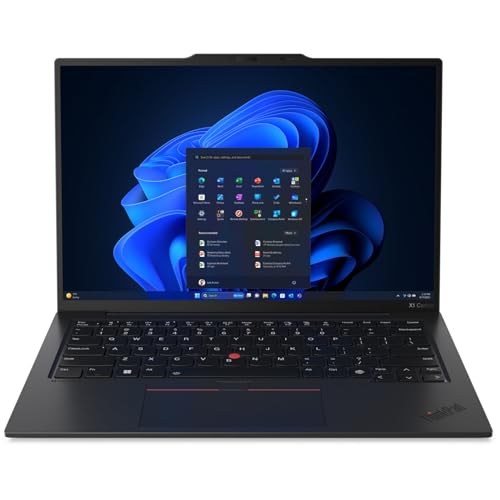
Pickori's Take
- Worth buying if weight and keyboard quality matter more to you than raw horsepower: 2.17 pounds with a 14-inch OLED screen is a rare combination.
- Best for frequent travelers, writers, and executives whose heaviest daily task is documents, browsers, and video calls, not sustained multi-core work.
- Skip it if you render video, compile code, or need discrete graphics; sustained CPU performance trails thicker rivals by design.
- Battery life is a real workday, not a fixed number: expect somewhere between 11.5 and 20 hours depending on brightness and workload.
- 32GB of soldered memory and one SSD slot mean this configuration is final on day one, so buy the specs you'll need in three years.
- If OLED flicker sensitivity is a concern, know that 240Hz PWM was detected at every brightness level before choosing OLED over the IPS option.
A ThinkPad that finally lets you choose the screen you actually want
Lenovo has spent years answering a specific question with the X1 Carbon: how thin and light can a business laptop get before it starts feeling flimsy? The Gen 13 Aura Edition answers again with a 2880 x 1800 OLED panel rated for 400 nits and 100% DCI-P3 coverage, specs that used to belong to creative-focused laptops, not corporate fleet machines.
In its exact 21NS0013US form, this configuration pairs that screen with a Core Ultra 7 258V, 32GB of memory, and a 2TB SSD, well above entry ThinkPad builds that ship with 512GB drives or lower-tier chips. Other X1 Carbon Gen 13 variants exist with WUXGA IPS screens and different processors; this review covers only the 2.8K OLED, Core Ultra 7, 2TB build sold under this model number.
Aura Edition branding mostly refers to on-device AI features and software polish layered on top of the hardware. The 47 TOPS NPU exists for background tasks like Windows Studio Effects and local AI features rather than anything most buyers will actively engage with day to day. The reason to buy this laptop is the physical machine underneath the branding, not the AI marketing sitting on top of it.
What makes this generation notable isn't a single spec, it's that Lenovo didn't ask buyers to trade weight for screen quality. Earlier ultralight ThinkPads often shipped with dimmer, lower-resolution IPS panels to hit their weight targets. This configuration doesn't make that trade, and that's the real headline.
It slots into a market where 14-inch business laptops increasingly compete on screen quality and battery claims rather than raw benchmark numbers, and Lenovo is betting that road warriors will pay a premium for better materials and display quality without accepting more weight.
Paying this much only makes sense if the weight and screen actually change your week. A desk-bound employee who rarely travels gets less value from either advantage and can put the difference toward a cheaper laptop with similar core specs.
The weight-to-screen ratio nobody else is matching
Start with the number that matters most for anyone who carries a laptop through airports: 2.17 pounds. Fitting a 14-inch OLED display, a full keyboard, and a 57Wh battery into that weight class while independent evaluations still praise the chassis is the biggest reason to consider this machine over a cheaper competitor with similar core specs.
Typing feel is the second reason, and it's not a minor one. A 1.5mm key travel figure sounds small on paper, but on a laptop this thin it means typing doesn't feel like tapping a countertop, the usual complaint about ultralight machines. Add the TrackPoint, which lets touch-typists navigate without lifting their hands off the home row, and this remains one of the few laptops where the input experience alone justifies the price for someone who types for a living.
Port selection backs up the travel-first design. Two Thunderbolt 4 ports handle charging, external displays, and fast peripherals, while two USB-A ports mean you're not carrying a dongle bag just to plug in a mouse or a presentation clicker at a client site. HDMI 2.1 covers conference room projectors without an adapter. The missing card reader and Ethernet are real omissions for anyone who still relies on either, worth checking before buying.
Set this against a typical thin-and-light competitor and the difference isn't any single spec, it's that Lenovo protected the screen, keyboard, port selection, and workday battery capability while cutting weight. This configuration avoids the obvious weak point that often undermines an ultralight, which is rare enough to be the actual selling point.
Corporate support is the quieter part of the pitch. A one-year onsite warranty and Windows 11 Pro out of the box provide a sensible base for deployment, while organizations that keep laptops longer can price extended coverage according to their own replacement cycle. That procurement fit matters more to a fleet buyer than any single benchmark number.
What the Core Ultra 7 258V actually delivers day to day
This configuration pairs a low-power eight-core chip with a genuinely premium OLED panel, which sets clear boundaries on what it's good at and what it isn't.
| Workload | Outlook | What to expect |
|---|---|---|
| Email, browser tabs, video calls, office documents | Excellent | An independent PCMark 10 evaluation came in just under 7,000, which tracks with snappy everyday response. This is the laptop's home turf. |
| Long Zoom or Teams days | Strong | The 1080p IR camera with a privacy shutter covers typical conferencing needs; one review found it sharp in good light but noticeably grainier once the room goes dim. |
| Video export or Handbrake-style transcoding | Middling | One review measured a 7 minute 36 second 4K-to-1080p transcode and found sustained multi-core output trailing thicker, higher-power rivals. Fine occasionally, frustrating as a daily task. |
| Sustained compiling or repeated render passes | Weak | Ten back-to-back Cinebench runs slid from 523 to about 491 as the chassis managed heat, expected in a tapered ultralight laptop and not a defect. |
| Casual gaming or light creative work | Capable, not more | Arc 140V integrated graphics is a real step up over older Intel integrated GPUs but isn't a substitute for a discrete card. Treat it as a bonus, not a reason to buy. |
| Storage-heavy tasks like large file transfers | Very strong | One independent test measured 13,407 MB/s sequential read and 7,006 MB/s write on the 2TB drive, numbers that make big project folders and backups feel close to instant. |
Lunar Lake chips like the Core Ultra 7 258V were built around a specific bet: most professionals spend their day in bursts of light work punctuated by idle time, not grinding through sustained loads. That bet pays off here. Everyday use feels immediate, and there's rarely a reason for the fan to spin up hard for typing, browsing, or spreadsheet work.
Where it runs out of room is anything that keeps all eight cores pinned for more than a few minutes. The declining Cinebench passes and the modest Handbrake time both point to the same conclusion: this is a thin, quiet chassis, and Lenovo tuned it to protect comfort and battery over raw throughput. Buyers coming from a workstation laptop expecting a straight speed upgrade will feel the ceiling within the first heavy task.
Arc 140V graphics deserve a specific callout because they quietly upgrade what integrated graphics can do: driving multiple external displays, smoothing video playback, and handling modest gaming. That convenience is worth having, but it isn't a reason to buy this laptop on its own.
None of this should worry the buyer this machine is built for. If your heaviest daily task is exporting a deck to PDF or finishing a long email thread on a plane, the performance ceiling never comes into view.


Living with the screen, the battery, and the charger
Rapid Charge quietly changes how you plan a travel day: the 65W adapter can take the 57Wh battery to 80% in about an hour, even while the laptop is off or asleep. That's the difference between panicking over a dying laptop before a flight and topping it off during a layover coffee.
Battery life deserves an honest accounting rather than a single number, because the independent evidence genuinely spans a wide range. One test measured about 11 hours 28 minutes of web browsing at 150 nits, another measured roughly 11 hours in a Wi-Fi test at similar brightness, and a third measured nearly 20 hours in a different benchmark. The gap comes down to what's being measured, web activity versus video playback, and how bright the OLED panel is set. Treat the higher number as a best case and plan a real workday closer to the lower end if you keep brightness up and the 120Hz refresh rate active.
Daily payoff for that battery variability shows up the moment you open the lid. Independent measurements put peak brightness around 379 to 409 nits depending on the unit, both comfortably usable indoors and close to Lenovo's 400-nit rating. The anti-reflective coating cuts glare well without making the screen fully matte, so it still picks up some reflection under harsh overhead lighting, a minor asterisk rather than a flaw.
Audio and video calls are where the compromises of a thin chassis show up. Speakers were described in one review as loud with reasonable bass but harsh at the top end when pushed, fine for a solo podcast but not something you'd want filling a conference room. The webcam performs well in daylight or good office lighting and gets noticeably grainier after dark, which matters if your calls happen at odd hours or in dim rooms.
For anyone who lives inside a docking station most of the week, Thunderbolt 4 covers single-cable charging, external monitors, and peripherals cleanly, and Wi-Fi 7 support means the laptop won't be the bottleneck on a modern office network.
The two limits that decide whether this is your laptop
Sustained performance is the first limit, and it's less a flaw than a design choice some buyers will find disqualifying. Ten consecutive Cinebench runs dropped from 523 to roughly 491 as heat built up, and a 4K video transcode took 7 minutes 36 seconds in one published measurement, both signs that this chip and chassis are tuned for short bursts rather than long, demanding sessions. If your job involves regular video export, large compiles, or anything else that pins the CPU for extended stretches, this isn't the right machine, no matter how much you like the keyboard.
Fixed hardware is the second limit. 32GB of memory is soldered with no slots, and there's a single M.2 2280 slot for storage, meaning this configuration's 2TB SSD is the ceiling unless you replace the drive entirely down the line. There's no path to add memory later. Buyers who like to upgrade a laptop over its lifespan should treat this as a one-time decision, not a platform to grow into.
A smaller but specific concern: one independent measurement detected 240Hz PWM flicker on the OLED panel across every brightness level evaluated. Most people won't notice it, but if you already know you're sensitive to OLED flicker in other devices, it's worth evaluating in person before buying, since the OLED option doesn't come with a flicker-free alternative on this configuration.
Two smaller omissions round out the caveats: no SD or microSD card reader and no onboard Ethernet, both real inconveniences for anyone who still shoots on a camera with a card slot or works in a building without reliable Wi-Fi. And while the broader X1 Carbon Gen 13 family includes WWAN-ready variants, the exact 21NS0013US listing doesn't confirm cellular support, so don't buy this specific configuration expecting a SIM slot.
None of these are dealbreakers for the buyer this laptop is built for, a professional who values portability and screen quality over sustained horsepower. But they're the honest reasons someone doing render work, compiling, or gaming should look at a different machine, OLED screen or not.
OLED or the WUXGA IPS option: how to actually decide
The OLED panel in this configuration wins on almost every visual measure that matters for a spreadsheet or a photo: independent measurements put peak brightness around 379 to 409 nits with full DCI-P3 coverage, and contrast on OLED is inherently deeper than any IPS panel can match because black pixels turn fully off. If your work involves color-sensitive documents, presentation decks with photos, or just staring at text for eight hours, the visual upgrade is real and immediate.
The IPS alternative in the broader X1 Carbon Gen 13 family exists for two specific reasons this configuration doesn't address: longer battery life and no PWM flicker risk. If you've had eye strain or headaches with other OLED laptops or phones, the 240Hz flicker detected in one independent measurement on this panel is worth taking seriously before you commit to this exact SKU rather than the IPS build.
The practical rule: choose this OLED configuration if screen quality shapes your daily satisfaction with the laptop and you're not flicker-sensitive. Choose the IPS variant instead if you're optimizing purely for runtime predictability or have a known sensitivity to OLED displays. There's no wrong answer here, just two different priorities Lenovo is letting buyers choose between instead of forcing on everyone.
When the 2.17-pound weight actually pays for itself
A modest weight difference sounds trivial until you're standing in a security line with a bag on one shoulder and a laptop case on the other, three flights into a five-day trip. That's where this configuration's starting weight of 2.17 pounds separates itself from heavier business laptops. The premium buys shoulder relief, not benchmark points.
For someone who travels once a quarter, that weight difference barely registers over a career, and the extra cost is hard to justify against a heavier laptop with similar core specs and a lower price. For someone flying weekly or carrying the laptop through a full workday of client visits, the cumulative physical toll is real, and Rapid Charge's ability to hit 80% in about an hour during a layover compounds the travel-specific value.
The honest math: if your annual travel days number in the single digits, put the savings toward a heavier laptop with better sustained performance. If travel is a weekly reality, the weight and fast charging together are worth the premium, because they change how the laptop feels in your hand and how much you can trust it between outlets, not just how it scores on a benchmark.
What owning this configuration looks like three years out
Because memory is soldered and there's only one storage slot, the specs you buy today are functionally the specs you'll have at the end of this laptop's service life. That's not unusual for ultralight laptops in 2025, but it changes the calculus: 32GB and 2TB need to comfortably exceed your workload three years from now, not just today, since there's no cheap upgrade path if your needs grow.
The one-year onsite warranty is standard for a corporate machine, and pairing it with an extended coverage plan is worth budgeting for given how much this configuration costs to replace outright. Fleet buyers should also weigh the missing Ethernet and card reader against whatever docking infrastructure they already run, since retrofitting those capabilities means buying a dock or dongle for the life of the machine.
Long term, this is a laptop that ages well for the buyer it's built for: someone whose workload stays in the documents-browser-video-call lane. It ages poorly for anyone whose job creeps toward heavier compute, since there's no internal upgrade available to compensate, only a full replacement when the performance ceiling finally becomes a daily frustration.
Who this product fits
The consultant living out of a carry-on
Two-and-a-quarter pounds and a 65W charger that hits 80% in an hour make this an easy laptop to live out of a backpack, and Rapid Charge covers the gap when a meeting runs long and the battery runs low.
The writer who types for eight hours straight
The 1.5mm key travel and TrackPoint suit long writing sessions in a way many thin laptops don't manage, while the high-resolution OLED makes dense documents look exceptionally crisp. Buyers who are sensitive to PWM should still choose the IPS option.
The video editor hoping to consolidate gear
Sustained Cinebench and Handbrake results both show the chip backing off under long loads, so anyone exporting video regularly should look at a laptop with a discrete GPU and more sustained cooling headroom instead of this configuration.
The corporate IT buyer standardizing a fleet
Windows 11 Pro, a one-year onsite warranty, and ThinkPad's usual security features make this an easy sell for fleet purchasing, provided the 32GB memory ceiling is confirmed to fit the roles it's being assigned to.
What else to compare
A quick look at who might be better served elsewhere before committing to this configuration.
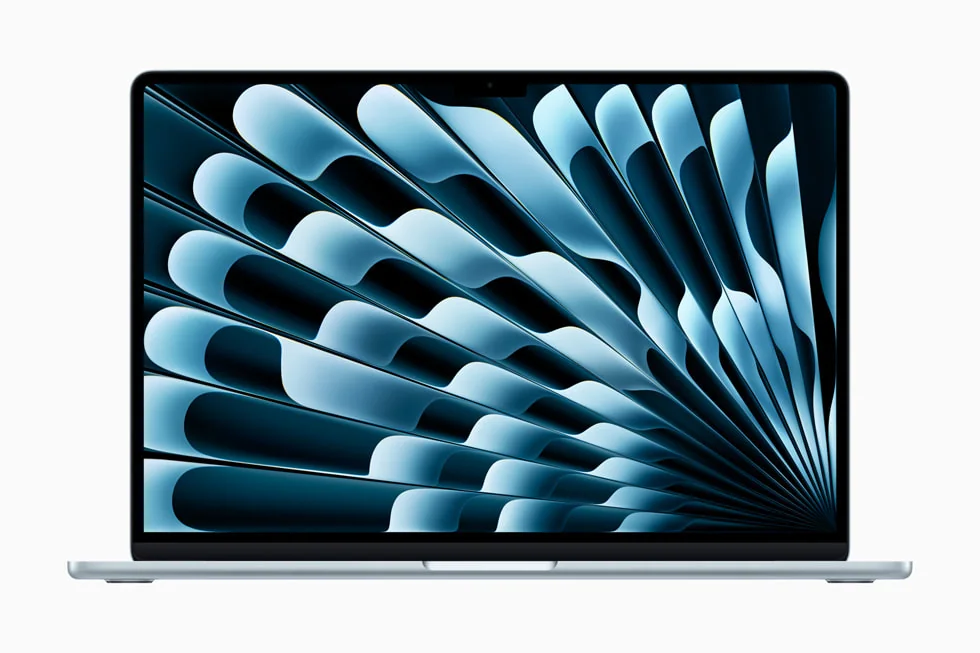 Apple MacBook Air 13-inch (M4, 2025)A lighter-cost alternative for buyers who prefer macOS
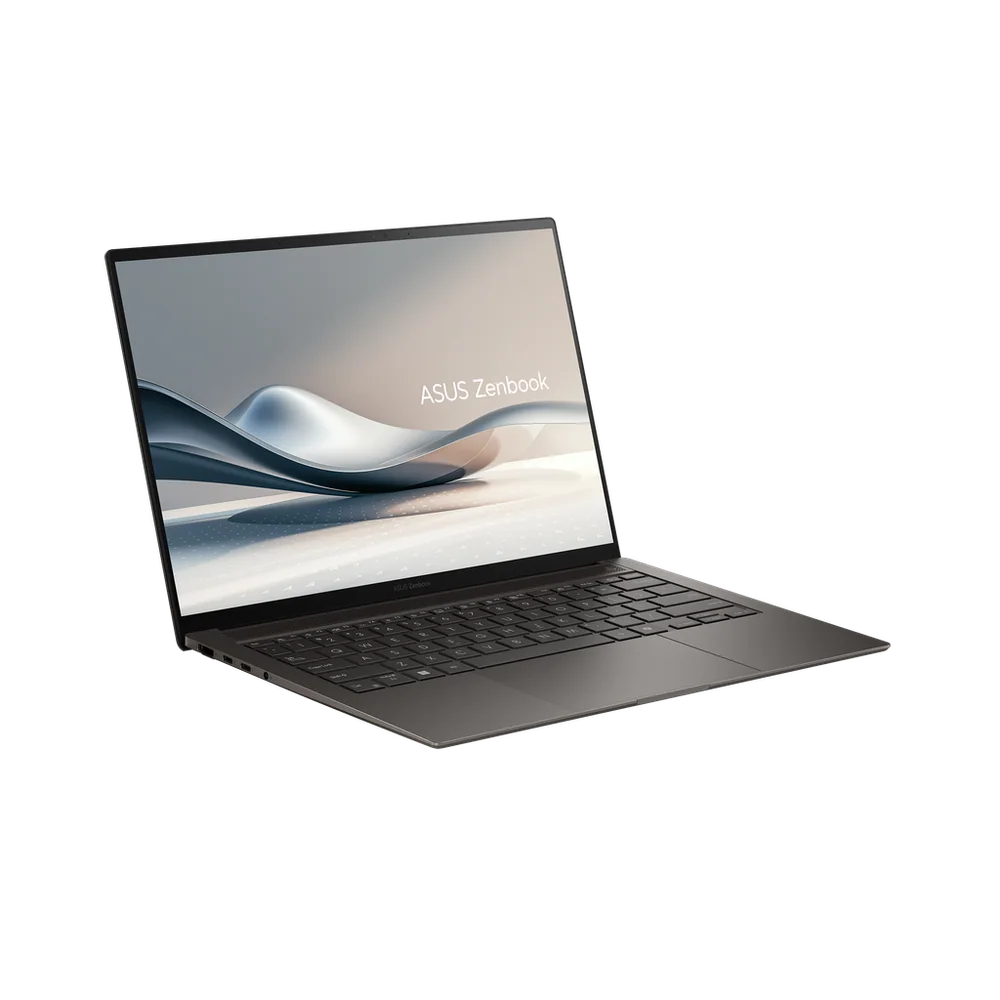 ASUS Zenbook S 14 OLEDA premium OLED ultraportable outside the ThinkPad ecosystem
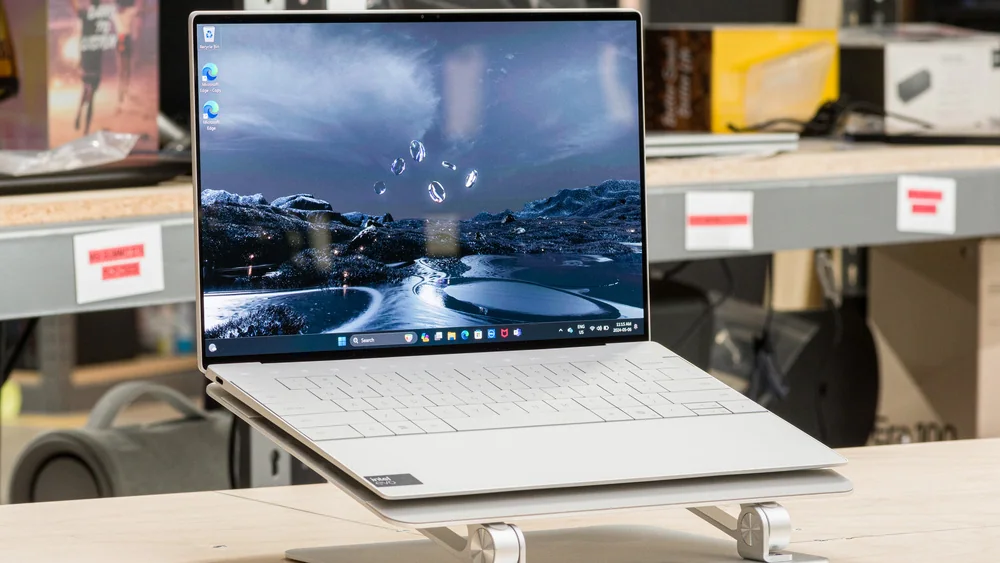 Dell XPS 13 (2024)A compact Windows rival with fewer ports
 HP OmniBook X Flip 14A convertible alternative for buyers who value touch and tablet modes
Lenovo ThinkPad X1 Carbon Gen 13 Aura Edition FAQ
How long does the battery actually last on the ThinkPad X1 Carbon Gen 13 Aura Edition?
Published measurements vary widely by method: about 11 hours 28 minutes in a web-browsing test, roughly 11 hours in a separate Wi-Fi test, and nearly 20 hours in a different battery benchmark. Expect a comfortable full workday under normal brightness rather than the highest figure.
Can I upgrade the RAM or storage later?
Memory is soldered with no slots, so 32GB is fixed for the life of this configuration. Storage can be replaced since there's one M.2 2280 slot, but you can't add a second drive alongside the existing 2TB SSD.
Is the Core Ultra 7 258V good enough for video editing?
It handles light editing and quick exports fine, but published measurements showed declining performance across repeated sustained loads and a video transcode time slower than thicker competitors. Frequent video editors should look elsewhere.
Does this configuration support WWAN or cellular connectivity?
The broader X1 Carbon Gen 13 family includes WWAN-ready variants, but this exact 21NS0013US listing doesn't establish WWAN support, so don't count on cellular connectivity with this specific configuration.
Is the OLED screen worth it over the IPS option?
For color accuracy, contrast, and sharpness, yes, the OLED panel is a clear upgrade. The trade-offs are higher power draw affecting battery life and PWM flicker detected in one independent measurement, which may bother flicker-sensitive users.
How warm does it get under heavy use?
One 15-minute stress test measured 110°F at the keyboard center and 115°F on the underside, warm to the touch but not dangerous, and consistent with a thin chassis managing heat by throttling rather than running hot indefinitely.
Does it have Ethernet or a memory card slot?
No. This configuration omits both a card reader and onboard Ethernet, so frequent SD card or wired-network users will need an adapter or dock.
Who should skip this laptop?
Anyone doing sustained video rendering, large compiles, serious gaming, or needing upgradeable memory and storage should look at a different machine. This is built for portability and everyday responsiveness, not sustained horsepower.
Sources and research notes
Specifications come from manufacturer documentation. Measured results are attributed to independent evaluations.
- ThinkPad X1 Carbon Gen 13 Aura Edition Product Specifications ReferenceLenovo
- ThinkPad X1 Carbon Gen 13 Aura Edition 21NS0013USLenovo
- Intel Core Ultra 7 Processor 258V specificationsIntel
- Lenovo ThinkPad X1 Carbon Gen 13 Aura Edition reviewTom's Hardware
- Lenovo ThinkPad X1 Carbon Gen 13 Aura Edition laptop reviewNotebookcheck
- Lenovo ThinkPad X1 Carbon Gen 13 reviewPCWorld
- Lenovo ThinkPad X1 Carbon Gen 13 Aura Edition reviewPCMag
- Lenovo ThinkPad X1 Carbon Gen 13 Aura Edition reviewWindows Central
- Lenovo ThinkPad X1 Carbon Gen 13 Aura Edition business laptop reviewTechRadar Pro
Is the X1 Carbon Gen 13 Aura Edition worth the premium?
If your work is measured in flights taken and meetings attended rather than render jobs finished, this configuration earns its price. The combination of low weight, an OLED screen this good, and a keyboard built for people who type for a living is genuinely hard to find at once, and Lenovo protected the parts a frequent traveler uses all day.
If your work is measured in export times and compile durations, the honest sustained-performance numbers here should point you toward a heavier laptop with more cooling headroom. This ThinkPad was built to disappear into a bag and get through a travel day, not to win a benchmark contest, and it should be bought for exactly that reason.