

Pickori's Take
- The Gigabyte Gaming A18 is a strong buy for desk-first gamers who will use its 18-inch workspace; performance-first shoppers can get more speed from a smaller, higher-wattage laptop. Its 2560 x 1600, 165Hz IPS panel adds vertical room for games, timelines, and code, and its color coverage suits gaming and general creative work. It's an indoor screen with IPS contrast, though, not an OLED.
- Read the RTX 5070 badge with its 85W ceiling attached. This is an efficient 1600p graphics chip, not a promise of class-leading speed, so plan on High rather than maxed settings in the hardest games and lean on DLSS once ray tracing enters the picture.
- The Ryzen 7 260 is a sensible partner for gaming, multitasking, streaming, and ordinary development. As an eight-core Zen 4 mainstream chip, though, it will finish long renders and big compiles more slowly than HX-class rivals.
- Light-work battery stamina is excellent by 18-inch standards and good for an evening of video or documents away from the desk. Gaming belongs on the 150W adapter. The USB4 port accepts USB-C power for light use but can't replace that brick during play.
- Upgrade room is real. Two SO-DIMM sockets take up to 64GB of DDR5-5600, and a second M.2 slot joins the Gen4 x4 primary, though it runs at Gen4 x2. HDMI 2.1, Ethernet, Wi-Fi 6E, and USB4 with DisplayPort are covered, but one of the three USB-A ports is USB 2.0.
- This is a laptop that relocates rather than travels. At 6.17 pounds and nearly 16 inches wide, it moves from desk to couch easily. The 1.7mm-travel keyboard with number pad and the IR webcam with Windows Hello are practical. The one-zone RGB is basic, and the camera has no privacy shutter.
Why the 18-inch screen is the purchase
Eighteen-inch gaming laptops usually come with a flagship tax: big prices, heavy bodies, and enormous power bricks. The Gaming A18 is Gigabyte's attempt to sell the screen without the rest of that bill. The 3WHK3USC64SH pairs an eight-core Ryzen 7 260 with an RTX 5070 Laptop GPU (8GB of GDDR7, capped at 85W), 32GB of DDR5, and a 1TB SSD. Every one of those parts serves a single goal: putting a large 2560 x 1600 panel on a desk without making the rest of the machine a burden.
That resolution matters more than it first appears. Plenty of 16-inch laptops carry the same pixel count, but spread across 18 inches it stays comfortable at lower Windows scaling, so the extra pixels become usable room rather than smaller text. The 16:10 shape adds vertical space for code, timelines, and game HUDs. An IDE beside a running build, or a stream with chat and OBS both visible, no longer demands a second monitor. If that describes your setup, the A18's compromises start to make sense. If it doesn't, you are paying for inches you won't use.

Decoding an 85W RTX 5070
A laptop GPU's name tells you the chip. Its total graphics power, or TGP, tells you how hard the laptop lets that chip run, and the same RTX 5070 can perform very differently from one chassis to the next. Gigabyte sets this one's ceiling at 85W, a restrained figure for an RTX 5070. Even so, PCMag's results on this exact configuration describe a capable 1600p machine: 51 fps in Cyberpunk 2077 at Ultra, plus 122 fps at minimum and 81 fps at extreme settings in Call of Duty: Modern Warfare III.
The revealing part is PCMag's comparison with a Lenovo Legion Pro 5 running an RTX 5060 at 115W. The Lenovo stayed close or pulled ahead in F1 2024 and in several processor-heavy and content tasks, while the A18 led in Call of Duty and matched it in Cyberpunk at Ultra. That doesn't mean the RTX 5060 is secretly faster or that this RTX 5070 is a fraud. It shows 30 extra watts erasing most of the lead a higher-tier chip should hold, with results swinging according to each workload's demands.
The Ryzen 7 260 follows the same logic. Its eight Zen 4 cores and 16 threads, boosting to 5.1GHz, handle gaming, streaming, and everyday compiling without complaint. PCMag recorded 955 points in Cinebench 2024's multi-core test and a 4 minute 22 second HandBrake encode. Those are respectable figures, but HX-class processors beat them when long renders are the job.
What the 85W RTX 5070 changes
The RTX 5070 Laptop GPU is a family name, not a fixed speed. Each laptop maker sets a total graphics power (TGP), the maximum wattage the chip may draw, and Gigabyte sets this one at 85W. Here is what that ceiling means for the way you will actually use the A18.
| Workload | Outlook | What to expect |
|---|---|---|
| 1600p AAA gaming | Playable at native resolution with tuning | Native 1600p is realistic, which matters on a panel you bought for its sharpness. PCMag recorded 51 fps in Cyberpunk 2077 at 1600p Ultra. That is smooth for a single-player game, and dropping to High is the obvious lever for more headroom. F1 2024 at 1600p Ultra High is the caution: 27 fps natively, 136 fps with DLSS, Nvidia's upscaling and frame-generation suite. Motion looks transformed, but the game still responds from that low base, so latency and image stability trail the counter. Not every title will gain that much. |
| Ray tracing | Upscaling required | Here the RTX 5070 name stops helping. In the same testing, Cyberpunk at 1600p RT Overdrive, its path-traced mode, ran at 4 fps without DLSS. That isn't a settings choice. It's a slideshow. Heavy path tracing needs the full toolkit of upscaling, frame generation, and reduced presets, and even then it is a showcase rather than this laptop's comfort zone. Lighter ray-traced effects over a High preset are the sensible target. If native maximum ray tracing is your reason for shopping, an 85W GPU is the wrong tool. |
| Competitive gaming | Strong fit | This is the A18's happiest gaming lane. Call of Duty: Modern Warfare III at 1600p produced 122 fps on minimum settings and 81 fps at extreme, so players who trade detail for responsiveness get close to what the 165Hz panel can display. Lighter esports titles should push nearer still. The 3ms panel response keeps motion clean, and 18 inches gives targets more pixels. The one caveat is personal: some competitive players prefer a smaller field of view they can take in at a glance. |
| CPU-heavy creation | Capable, not class-leading | The Ryzen 7 260 is an eight-core, 16-thread Zen 4 chip, and it performs like a strong mainstream processor rather than an HX-class workstation part. PCMag's numbers fit that pattern. A 955-point multi-core Cinebench 2024 score and a 4-minute, 22-second HandBrake encode are respectable, and solid single-core results keep everyday apps and games responsive. More aggressive rivals simply finish long jobs sooner. Weekend video edits and photo work are fine. If render times affect your income, choose the CPU before the screen. |
| Game development | Great workspace, moderate compute | Here the screen does more work than the silicon. A 16:10, 2560 x 1600 canvas lets an engine viewport, an IDE, and a console coexist without a second monitor. The 32GB of RAM handles a busy editor session, with room to grow to 64GB. Testing builds against a mainstream RTX 5070 target is genuinely useful. Long compiles and other CPU-bound jobs will expose the eight-core processor, as the creation results suggest. Indie and student developers fit well. Studio-scale builds want more cores. |
| Unplugged video | Unusually efficient | PCMag's video rundown reached 9 hours 49 minutes, remarkable for an 18-inch gaming laptop with a 76Wh battery. That is a light, steady video workload, so it predicts streaming, documents, and browsing far better than gaming. Play unplugged and the battery drains much faster while performance drops, so serious sessions belong on the 150W adapter. The practical win is an evening of light work on the couch without hunting for an outlet. Just don't read it as all-day gaming. |
The A18 looks excellent or merely fine depending on which question a benchmark asks. If you ask how much useful screen and stamina the money buys, it scores well. If you ask how many frames or render seconds 85W can produce, it lands mid-pack. Averaging those answers into "decent laptop" misdescribes it. The power cap explains both results: lower peak graphics output, but also a manageable 150W adapter, a 20mm minimum profile, and a 9-hour, 49-minute result in PCMag's video-rundown protocol.
The comparison that makes the RTX 5070 look awkward is the Lenovo Legion Pro 5, whose RTX 5060 runs at 115W. The Lenovo stayed close or led in F1 2024 and several CPU and content tasks, matched the A18 in Cyberpunk at Ultra, and trailed it in Call of Duty. That pattern reflects wattage and workload. It doesn't mean the RTX 5060 beats the RTX 5070. A bigger power allowance lets a smaller GPU close the gap in some games, and the Legion's stronger showing in content work points to more processor headroom. Shoppers chasing raw frames per dollar should look at higher-wattage 16-inch machines. Shoppers who want 18 inches give up less than the badge comparison suggests.

A display that keeps its promises, and surprising stamina
The screen is the A18's clearest strength. Gigabyte rates the IPS panel at 300 nits and 100 percent DCI-P3. PCMag measured 326 nits, full sRGB, 87 percent of Adobe RGB, and 98 percent of DCI-P3, so the brightness claim holds and the color claim nearly does. That is rich color for games and good coverage for general photo and video work. The limits are the usual IPS ones: blacks turn grayish in a dark room, contrast is nowhere near OLED, and 300-nit-class brightness belongs indoors. Gigabyte rates the response time at 3ms, and the 165Hz refresh rate gives fast games useful motion headroom.
The keyboard gets the substance right, with 1.7mm of travel and a full number pad. Its single-zone RGB lights every key in one color, which is functional rather than fancy. The FHD IR webcam supports Windows Hello face login, though PCMag noted it has no privacy shutter.
Battery life is the surprise. In PCMag's video rundown, the 76Wh pack lasted 9 hours 49 minutes, outstanding for an 18-inch gaming laptop. That covers an evening of streaming or documents away from the desk. Gaming unplugged drains the battery far faster and runs slower, so play on the 150W adapter.


While you're comparing
The right product, at a better price
Our free morning email rounds up discounts worth knowing about, from kitchen upgrades to everyday tech. Reviews and buying guides arrive separately in our occasional newsletter.
Free to joinUnsubscribe anytime
Room to grow, but not to roam
The upgrade path is clear on paper. Two SO-DIMM sockets accept up to 64GB of DDR5-5600. The included 32GB already covers gaming, so the extra headroom matters mainly if you run virtual machines or large engine projects. Storage tops out at 4TB across two M.2 slots, one PCIe 4.0 x4 and one PCIe 4.0 x2. The second slot has half the lanes, so keep Windows and active projects on the primary drive and give the second to your game library, where the gap matters less.
The ports suit a desk setup: HDMI 2.1, Gigabit Ethernet, and USB4 Type-C with DisplayPort 1.4 and PD 3.0, plus Wi-Fi 6E and Bluetooth 5.3. Of the three USB-A ports, two run at 5Gbps and one is USB 2.0, which is fine for a mouse receiver. USB-C charging helps with light work, but gaming needs the 150W adapter.
Then there's geography. At about 6.17 pounds and nearly 16 inches wide, the A18 moves easily from desk to couch and badly through a daily commute, so check your bag before assuming it fits. It is only 20 to 25mm thick, though, and its 150W brick is far less of a burden than the adapters many flagship 18-inch systems ship with. The 180-degree hinge lets the screen lie flat, which helps when sharing it across a table.
Is an 85W RTX 5070 still worth buying?
Yes, as long as you buy it for what it actually does. A higher-tier laptop GPU only pulls away from a lower one when the chassis feeds it power, and at 85W much of that separation disappears. A well-powered RTX 5060 can trade blows with this card depending on the game, and in titles that lean on the processor, the GPU badge matters even less. In return you get a more efficient design: a slimmer 18-inch body, a modest adapter, and unusually strong video-rundown stamina in the available independent evaluation.
Pickori's rule: treat TGP as part of the model name. When you compare laptops of the same size, check the wattage before the GPU badge, and expect a well-fed lower tier to compete. When the A18's real rival is a 16-inch machine, the question stops being about graphics and becomes whether you want the bigger screen.
Native 1600p or DLSS: which settings make sense?
Start at native resolution. Competitive shooters and most traditionally rendered games run well at 1600p on High settings, and the 165Hz panel gives fast games room to stretch. Save DLSS for the heaviest titles, and know what it does: upscaling renders below native resolution and reconstructs the image, while frame generation inserts AI-generated frames between the rendered ones. PCMag saw F1 2024 at 1600p Ultra High climb from 27 fps natively to 136 fps with DLSS. Motion looks transformed, but responsiveness still follows the rendered rate, and a low base can show up as lag or artifacts. Other games won't necessarily gain as much.
Path tracing marks the boundary. Cyberpunk 2077 at RT Overdrive ran at 4 fps without DLSS in PCMag's testing, so heavy ray-traced effects need upscaling, frame generation, and lower settings working together. A sensible order: cut settings until the rendered rate nears 60 fps, then add frame generation.
Choose the 18-inch canvas or a faster 16-inch laptop?
Choose the A18 if the screen does real work every day: streaming with your tools visible, development with several panes open, or desk gaming where 18 inches feels like a small monitor. At its listed price, you should be paying for that canvas, not for frame rates. Below roughly $1,500, the 85W compromise becomes easy to accept. Closer to the $1,999.99 PCMag reviewed it at, a higher-wattage RTX 5070 or an 18-inch model with a more premium display deserves priority.
Choose a 16-inch laptop with a higher-wattage RTX 5060 or RTX 5070 if frames per dollar decide it, or if the machine travels regularly. And if you want 18 inches with flagship performance, skip this tier and look at a Raider-class system. The mainstream A18 was built for balance, not maximum output.
Who this product fits
You want a big-screen gaming setup without buying a monitor
This is the A18's cleanest fit. The 18-inch 1600p panel fills your view much the way a desktop monitor does, and native-resolution play is realistic in many traditionally rendered games once you settle on High rather than Ultra. Add a mouse and headset and the laptop becomes the whole setup. Treat the desk as its home, though. The size that makes games immersive also makes it a poor travel companion.
You stream from one screen and keep running out of room
The taller 16:10 space lets the game, chat, and OBS controls coexist without constant alt-tabbing. The Ryzen 7 260 and 32GB of memory handle overlays and background apps alongside play, and Gigabit Ethernet offers a steadier upload than Wi-Fi 6E. If you outgrow one screen, HDMI 2.1 and USB4 with DisplayPort leave room to expand.
You build games or software and want your tools side by side
An IDE, an engine viewport, and a console fit comfortably at once, and the 1.7mm-travel keyboard with a number pad suits long typing sessions. The RTX 5070 can preview your own builds at realistic settings. The trade comes in compile and bake times. The Ryzen 7 260 is fine for indie and student projects, but studio-scale builds favor an HX-class machine.
What else to compare
If you came for the screen, the A18 is hard to argue with. If you came for frames, or you want an 18-inch laptop without power compromises, these are the smarter places to look.
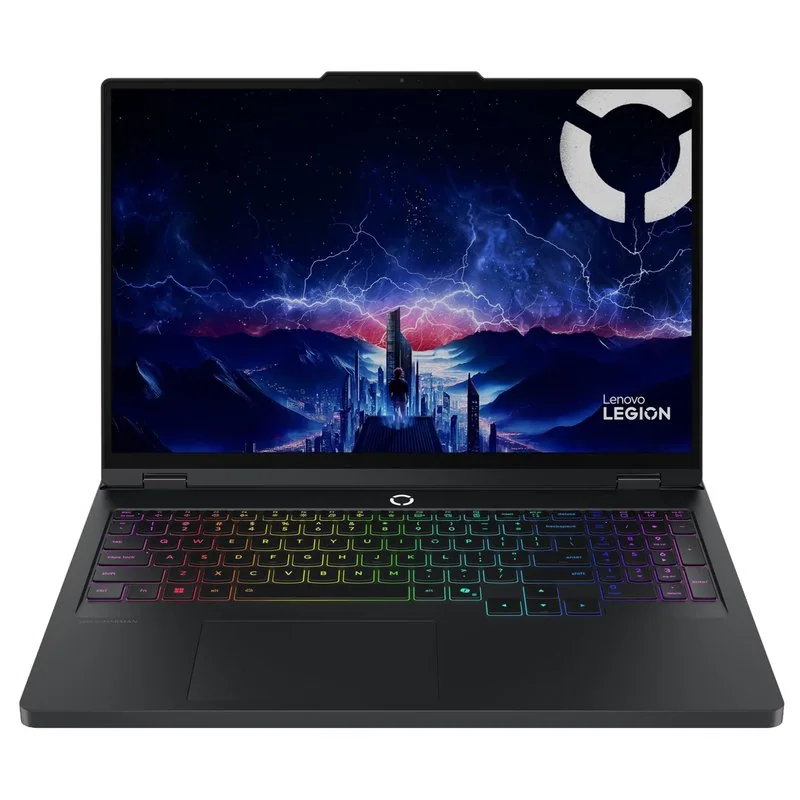 Lenovo Legion Pro 5A more performance-focused 16-inch choice when frame rate matters more than an 18-inch canvas
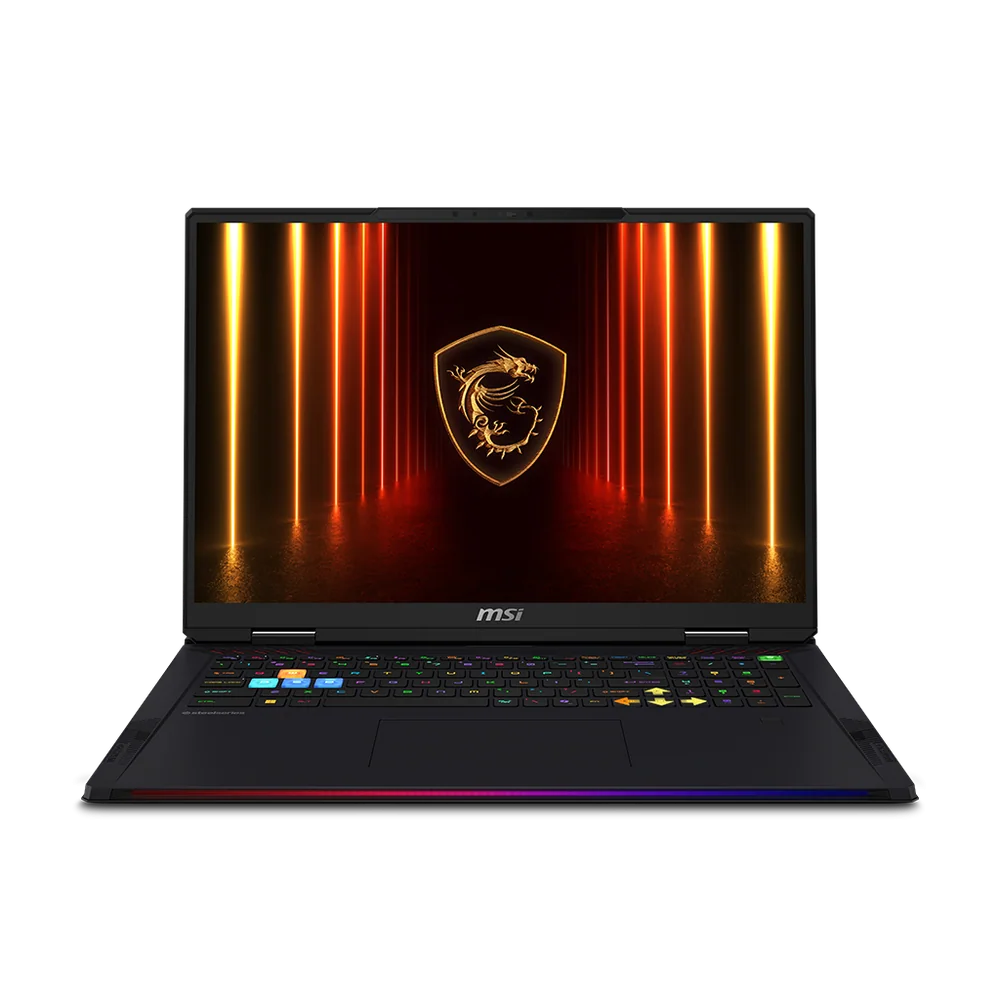 MSI Raider 18 HX AI OLEDA premium 18-inch alternative for buyers who want flagship-class performance and display quality
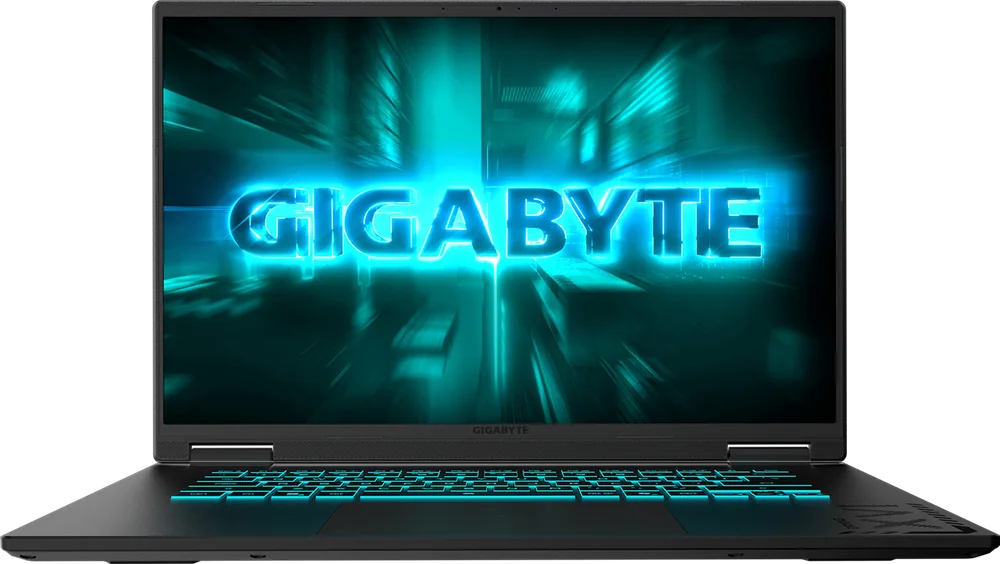 Gigabyte Gaming A16The related smaller-screen choice when a machine that fits more bags matters more than maximum workspace
Gigabyte Gaming A18 FAQ
Is the RTX 5070 in the Gigabyte Gaming A18 underpowered?
It's restrained, not weak. Gigabyte caps it at 85W, so RTX 5070 laptops with more power pull ahead, and a higher-wattage RTX 5060 can tie or beat it in some games. The payoff is a relatively slim 18-inch chassis, a manageable 150W adapter, and unusually good light-work stamina in the independent video rundown.
Can the Gaming A18 run games at 1600p?
Yes, natively in many traditionally rendered games with sensible settings, and the measured Call of Duty result cleared 60fps at both tested 1600p presets. The hardest games want High instead of Ultra, and heavy ray tracing needs DLSS upscaling and frame generation. Frame generation smooths motion, but a low native frame rate still affects responsiveness.
How long does the Gigabyte Gaming A18 battery last?
Close to 10 hours in PCMag's looping-video test, which is unusual stamina for an 18-inch gaming laptop. That figure covers light playback only. Gaming drains the 76Wh battery far faster and runs slower unplugged, so keep the 150W adapter connected when you play.
Is the RAM upgradeable, and is there a second SSD slot?
Yes to both. Two SO-DIMM sockets accept up to 64GB of DDR5-5600, and a second M.2 slot sits alongside the primary drive. That second slot runs at PCIe 4.0 x2 instead of x4, which is still quick enough for a game library.
How bright is the Gaming A18's screen?
Gigabyte rates it at 300 nits, and independent measurement came in slightly above that. It's comfortable in typical indoor lighting but won't fight direct sun, and in dark scenes IPS blacks look grayish next to an OLED.
Does the Gaming A18 support USB-C charging?
Yes, through the USB4 port with Power Delivery 3.0. That's handy for topping up during browsing, documents, or video. It can't supply what the 150W adapter delivers, so USB-C alone is not a substitute when you're gaming.
Is the Gaming A18 too heavy to carry every day?
For most people, yes. At about 6.17 pounds and nearly 16 inches wide, plus the 150W adapter, it's a laptop you move between rooms or pack for the occasional trip. Its 20mm minimum thickness still keeps it slimmer than many flagship 18-inch rivals.
Should you buy the Gigabyte Gaming A18?
Yes, if the screen is what you're shopping for. The 3WHK3USC64SH puts 18 inches to work every day for games, streams, and code while keeping the chassis relatively slim and the adapter manageable for this size. Read its RTX 5070 as an efficient 1600p tier rather than a speed promise, and it holds up its end.
If frames per dollar is the goal, shop elsewhere. If room to play and work is the goal, this is the sensible big screen to buy.