

Pickori's Take
- This Surface Laptop 6 configuration is the one mainstream productivity buyers should choose. The Core Ultra 7, 3:2 touchscreen, and business-friendly ports earn that verdict, though the 16GB memory can't be upgraded later and 256GB fills fast with large files or bulky apps.
- Skip it if you need more memory down the line: 16GB is soldered and fixed for good, though the 256GB SSD is removable and can be swapped later through a documented service procedure if you outgrow it or it fails.
- The 3:2 touchscreen's anti-reflective, Gorilla Glass 5 surface makes document and browser work noticeably more comfortable than a typical 16:9 panel at the same size.
- Thunderbolt 4 and an unusually long official repair-parts list add practical longevity most thin laptops at this price don't offer.
- Battery life is workday-capable, but don't fix a specific number in your head; plan around your own usage habits instead of Microsoft's headline claim.
- If Surface pricing converges, the newer generation becomes the easier default; while the gap stays wide, this is the smarter buy for most productivity shoppers.
An older Surface chassis that's found a new reason to exist
The ZJV-00001 is the 13.5-inch, black, Core Ultra 7 165H configuration of the Surface Laptop 6 for Business, built with 16GB of memory, a 256GB removable SSD, Intel Arc integrated graphics, and Windows 11 Pro. It sits in the middle of the Laptop 6 lineup: fast enough to feel current, tight enough on storage to require some planning up front.
This is unmistakably the older Intel-generation Surface. The current lineup moved to a redesigned chassis with thinner bezels and an updated haptic touchpad. What the Laptop 6 offers instead is a familiar aluminum shell whose design hasn't needed a redesign to remain a credible daily driver.
Physically it's the classic Surface Laptop silhouette: anodized aluminum in black, 12.1 by 8.8 by 0.66 inches, 3.06 pounds. It doesn't chase thinness for its own sake, and it doesn't apologize for looking like the Surface Laptops that came before it.
Pairing the Core Ultra 7 165H with 16GB of memory was Microsoft's answer for business buyers who needed real performance without workstation pricing. Sixteen cores and 22 threads sound like overkill for office work, but the split between six performance cores and eight efficiency cores means background tasks are less likely to compete with whatever you're actively doing, which is the practical benefit that shows up across a workday.
The 256GB SSD is this configuration's clearest constraint, and it's worth naming directly rather than softening. It's the entry-level storage tier in the Laptop 6 lineup, and buyers who install a lot of local software or keep sizable media libraries on-device will hit that ceiling faster than they'd like.
The buyer who benefits most here isn't a narrow IT specialist. It's anyone who wants a well-built, Pro-licensed Windows laptop with strong single-threaded responsiveness and broad software compatibility, who doesn't need the newest Surface hardware to get real value out of a workday.
What still makes this Surface worth choosing over a cheaper generic laptop
The 2256 x 1504, 3:2 touchscreen is the single best reason to prefer this over a typical 16:9 ultraportable. That aspect ratio exposes more vertical workspace than a comparable 16:9 panel at the same diagonal, which matters constantly when scrolling documents, reading long email threads, or working in split-screen. The panel's own anti-reflective coating and Gorilla Glass 5 surface add durability and glare resistance that make the screen more comfortable to use near windows or overhead lighting.
Conventional x86 compatibility is still a real, practical advantage, even if it's no longer the only reason to buy. Business software, older drivers, specialized peripherals, and existing docking hardware are generally lower-risk on this platform than on newer architectures still building out compatibility. That's not a guarantee that every app, driver, or dock will behave, but it meaningfully reduces the odds of running into a wall.
Thunderbolt 4 support through the single USB-C port means this laptop connects to existing docking stations, external displays up to 8K, and high-speed storage without adapter workarounds. Independent coverage specifically called out Thunderbolt 4 retention as a meaningful distinction from where the newer generation moved, and for anyone with an existing dock, that continuity has real value.
The backlit keyboard and glass precision touchpad follow the conventional Surface Laptop layout Microsoft has used across several generations, with a dedicated Copilot key added to the top row. Full-size keys and a single glass surface for cursor and gesture input reflect a mature, well-established design rather than a first attempt at solving the problem.
Business security features built into Windows 11 Pro, combined with Windows Hello facial authentication, give IT-managed environments the fleet continuity they need. That's a narrower slice of the overall audience, but it's a genuine reason some buyers seek this exact model out.
Microsoft's official repair documentation lists the display assembly, keyboard and touchpad, removable SSD, battery, enclosure, Surface Connect port, motherboard, thermal module, and speakers as replaceable components for qualified repairers or skilled users following the service guide. That's an unusually long list for a thin premium laptop and gives this machine a documented service path most competitors in this class don't offer.
What the Core Ultra 7 165H actually delivers day to day
This configuration pairs a 16-core, 22-thread Core Ultra 7 165H with 16GB of memory and Intel Arc integrated graphics. That's a productivity chip, not a workstation or gaming part, and the workloads below reflect that.
| Workload | Outlook | What to expect |
|---|---|---|
| Office documents, email, browser tabs | Excellent | Six performance cores and a 5.0GHz boost clock give this plenty of headroom for Outlook, Teams, and a dozen browser tabs. The efficiency cores absorb background sync and antivirus scans so they compete less with whatever you're actively working on. |
| Video calls and hybrid meetings | Strong | Dual Studio Mics with voice focus and Windows Studio Effects are built to reduce background noise and improve framing on the 1080p camera. The CPU has spare capacity to run those effects without slowing down whatever else is open. |
| Coding and light development | Very good | One independent benchmark measured Cinebench R23 scores around 1,662 single-core and roughly 10,300 multi-core on this exact chip. That level of throughput supports strong multi-core capacity for compiling and multitasking across an IDE, containers, and a browser, without promising workstation-class turnaround. |
| Photo editing and creative work | Capable, with limits | Intel Arc graphics with eight Xe cores handled Lightroom exports and moderate Photoshop work in one evaluation of a similar configuration. It isn't built for large RAW libraries or heavy batch processing, and the 256GB drive adds its own pressure on top. |
| Gaming and 3D rendering | Not the point | Integrated graphics can run modest games at reduced settings, but there's no discrete GPU and the thin chassis isn't built around sustained thermal loads. Buyers chasing frame rates should look elsewhere. |
| Virtual machines and heavier multitasking | Workable in short bursts | 16GB covers occasional Hyper-V sessions or a single lightweight VM, but the memory is fixed at purchase. Anyone running VMs regularly should look at a 32GB sibling configuration instead. |
Published measurements on this exact chip land where you'd expect from a thin-and-light Ultra 7 part: quick single-core response for everyday tasks and solid multi-core capacity for occasional heavier work. None of that is exciting on its own, but it's notable next to a laptop that costs considerably more to buy today for a comparable everyday experience.
The ceiling here is honest, not disguised. You won't run demanding creative suites at full tilt, you won't get competitive frame rates in modern games, and the 256GB drive will push you toward cloud storage habits sooner than a bigger SSD would. For the workload most buyers actually run, documents, browsers, calls, coding, and moderate photo work, this configuration doesn't feel like a compromise so much as hardware that's a few years into its lifecycle and still keeping pace.
Battery numbers deserve care rather than a headline figure. Microsoft's own controlled test claims up to 18.5 hours of typical device usage. One independent evaluation of a 32GB sibling configuration reached about 14 hours during an unusually demanding mixed workday and roughly 17 hours in a lighter synthetic run. Neither figure predicts what this 16GB unit will do, and actual runtime can land below either number depending on brightness, calls, and background processing.
Set your expectations around a laptop that handles the daily grind without drama, rather than a workstation replacement. That's the right frame for this price position and a more useful one than fixating on a single benchmark or battery figure.


Living with it: quick response, careful battery planning, a small port selection
Day to day, responsiveness is where this configuration earns its keep. Office apps, browser tabs, and Teams calls benefit from the Core Ultra 7's high boost clock, and independent benchmarks on this chip, including Cinebench multi-core scores over 10,000, support an expectation of consistently capable performance for that kind of work.
Battery planning deserves more nuance than a single number. Microsoft's controlled test claims up to 18.5 hours of typical device usage, while one independent evaluation of a 32GB sibling configuration measured roughly 14 hours during an unusually demanding mixed workday involving many browser tabs, Microsoft 365, Photoshop, occasional virtual machine use, and Lightroom exports, plus about 17 hours in a lighter synthetic run. Neither number predicts exactly what this 16GB unit will do, and actual runtime can land below both figures depending on brightness, calls, and background processing.
Video calls lean on Dual Studio Mics with voice focus, Omnisonic speakers with Dolby Atmos, and a 1080p camera paired with Windows Studio Effects. Those features are designed specifically to reduce background noise and clean up framing and audio pickup during calls.
The split between performance and efficiency cores routes routine office workloads to the lighter cores rather than forcing sustained high-power operation, reserving heavier cooling demand for CPU-intensive tasks like exports or compiling. That's the design intent behind the hybrid core layout, and it's the reason background tasks shouldn't slow down active work.
Touch input supports scrolling, tapping, and quick annotation, and the display accepts Microsoft Pen Protocol styluses. This is a clamshell, though, not a convertible, so extended note-taking or drawing sessions are possible but less natural than on a 2-in-1 built specifically around that posture.
Desk setups benefit from the single Thunderbolt 4 port's DisplayPort 2.1 support for an external display up to 8K, plus Surface Connect charging that frees the USB-C port for peripherals. The tradeoff is real: with only one USB-C port total, running an external drive, a monitor, and charging simultaneously without a dock will run out of room fast.
The compromises that come with an older, cheaper Surface
256GB is the number to sit with before buying: this exact SKU isn't the right choice for anyone with large local photo, video, application, or project libraries. Buyers in that position should choose a higher-capacity configuration instead of this one.
16GB memory is soldered and fixed for the life of the machine. That's enough for the workloads this laptop is built for, browsers, Office, coding, moderate multitasking, but it's not a decision you get to revisit later. Anyone anticipating heavier future workloads should buy a higher-memory configuration now rather than this one.
The 60Hz display and visibly thicker bezels are the clearest signs of this laptop's generation next to a newer Surface. Scrolling and cursor movement won't feel as fluid as on a 90Hz or 120Hz panel, and the screen surround looks older sitting beside current hardware. Neither affects the actual quality of document or browser work, but both are visible reminders of the laptop's place in the lineup.
Intel Arc integrated graphics is a genuine improvement over older integrated-graphics generations, but it's still integrated graphics. Sustained creative rendering, serious gaming, and GPU-accelerated workloads all hit a ceiling here that a discrete GPU wouldn't.
The port selection, one Thunderbolt 4/USB-C port, one USB-A port, a headphone jack, and Surface Connect, is workable but tight. There's no HDMI, no card reader, and no Ethernet, so frequent multi-peripheral setups will want a dock.
The relationship to current-generation Surface pricing is the deciding factor for most buyers weighing this purchase. When the Laptop 6 sells well below the newer generation's asking price, its older chassis and smaller drive are easy trade-offs to accept. If that price gap narrows, the calculus shifts back toward the newer laptop, whose modernized chassis, faster refresh rate, and updated touchpad justify a smaller premium far more easily than a large one.
Surface Laptop 6, 7, or 8?
If you already own Surface Laptop 6 or found one at a price that matches your budget, there is no urgent reason to jump ship, especially if your work depends on legacy x86 software or drivers that you know behave better on Intel hardware. But if you are shopping fresh and compatibility is not a specific concern, it is worth knowing what came after it. Surface Laptop 7 moved to a Snapdragon X Plus platform, meaning it runs on Arm, a different processor design than the Intel and AMD chips most Windows laptops use, paired with a thinner chassis, a faster 120Hz version of the 3:2 touchscreen, and a haptic touchpad, all while settling into a lower price position now that it is the prior generation. For anyone doing ordinary work in Office, a browser, study material, or video calls, Laptop 7 at a discount is arguably the better value than Laptop 6 at full price.
Surface Laptop 8 is the current generation, and it is the one to choose if you want more processor headroom, a longer official battery claim, and configuration options that stretch up to 64GB of memory and 2TB of storage. It also has a stronger neural processing unit, or NPU, a dedicated chip that handles on-device AI tasks like background blur and other Copilot+ features so your main processor doesn't have to. This one is rated at 80 TOPS, which measures how many AI calculations it can crunch per second, though a bigger number doesn't automatically make the whole laptop faster. The design is close enough to Laptop 7 that you are not paying for a dramatic redesign, you are paying for more performance and a longer runway before the machine feels dated. That makes it the sensible pick for someone who wants to keep the laptop for several years or who runs heavier workloads day to day. If your needs are lighter than that, Laptop 8 is not strictly necessary, and either Laptop 6 or Laptop 7 can still get ordinary work done without asking you to pay for capability you will not use.
Do you actually need Intel and Thunderbolt 4, or do you just need value?
There are two separate reasons to choose this laptop, and it helps to know which applies to you. The first is genuine compatibility need: legacy business software, older docking hardware, or drivers built specifically around conventional x86 Intel behavior. If that's you, this laptop generally lowers your compatibility risk relative to a newer architecture, though no platform, including this one, guarantees every application, driver, or dock will work without issue.
The second reason is simpler and applies to far more shoppers: you want a premium Windows laptop and don't want to pay current-generation prices to get one. For this group, Intel compatibility is a nice-to-have, not the deciding factor. What matters is that the Core Ultra 7 165H handles real productivity work convincingly, the 3:2 screen is genuinely pleasant to work on, and Windows 11 Pro covers business and personal use equally well.
The decision rule: if you have a specific compatibility requirement, this laptop is a sound choice on that basis alone. If you don't, it's still worth buying as long as the price gap to the newer Surface generation stays wide, because you're not sacrificing much daily usefulness for a meaningfully lower price. Lean toward the newer generation only if that gap closes, or if the higher-refresh display and updated touchpad matter to you more than saving money.
What 256GB actually means once you start using this laptop
256GB sounds workable until you account for what's already claiming space before you install a single program. Windows 11 Pro, its update reserves, recovery partitions, and background services take a real bite. Add a browser with extensions, Office applications, and OneDrive sync folders that mirror your cloud files locally, and the practical headroom shrinks well below the number printed on the spec sheet.
The good news is the drive is a removable Gen4 SSD, which means there's a documented service path for replacement rather than a sealed, soldered chip. That's meaningfully better than laptops where storage is fixed for life. Replacement isn't as simple as adding a second internal drive, though: it means removing the existing drive and installing a compatible replacement following Microsoft's published service documentation, a procedure that calls for care and the right parts rather than being a casual weekend project.
In practice, most buyers of this configuration should adopt cloud-first habits from day one: keep large media libraries in OneDrive or another service rather than fully synced locally, install only the applications you actively use, and treat local storage as a working cache rather than a permanent archive. Buyers who know upfront they'll need more room should consider a higher-capacity sibling configuration instead of assuming they'll manage around 256GB indefinitely.
How this laptop holds up over a multi-year ownership window
Fixed 16GB memory is the ownership decision that can't be revisited later. Over three years, software tends to get heavier, browser tabs multiply, and background services accumulate. 16GB should stay workable for the office and browser-centric use this laptop is built for, but buyers anticipating growth into heavier multitasking or virtual machine work should account for that ceiling now rather than assume it'll be enough indefinitely.
On the positive side, Microsoft's officially documented replaceable-parts list, covering the display assembly, keyboard and touchpad, battery, SSD, motherboard, thermal module, ports, and speakers, gives this laptop a genuine repair path that many thin premium laptops don't offer. A battery replacement a few years in isn't a theoretical possibility; it's a documented procedure with Microsoft-published guidance, though it still requires the right parts and following that guidance carefully.
Ports and connectivity should age reasonably well too. Thunderbolt 4 isn't going away as a standard anytime soon, and Wi-Fi 6E and Bluetooth 5.3 cover current wireless needs comfortably. The realistic long-term risk isn't obsolescence, it's storage pressure from the 256GB drive and the ceiling created by fixed memory, both worth weighing against how long you plan to keep the laptop before your needs outgrow it.
Who this product fits
A remote worker replacing an aging personal laptop
Video calls, spreadsheets, browser tabs, and the occasional PDF markup are exactly what the Core Ultra 7 165H and 3:2 touchscreen are built to handle. The lower street price relative to current Surface models makes this an easy recommendation as long as 256GB storage and cloud-based file habits fit your workflow.
A student who wants a premium laptop without premium pricing
Note-taking, research, and writing all benefit from the tall screen and touch support, and Windows 11 Pro is more capable than most students strictly need but doesn't get in the way. The main planning point is storage: keep large files in the cloud rather than assuming 256GB will hold everything through a semester.
An IT manager standardizing a fleet on familiar hardware
Thunderbolt 4 support, conventional Intel compatibility, and Windows 11 Pro security features make this a lower-risk deployment than betting on unfamiliar architecture, especially when existing docks and peripherals are already in place across the fleet.
A creative hobbyist doing light photo editing on the side
Intel Arc graphics and the Core Ultra 7's multi-core capacity handled Lightroom exports and moderate Photoshop work reasonably well in one evaluation of a similar configuration, but anyone with a large photo library should plan around external storage given the 256GB drive.
What else to compare
A few other Surface configurations are worth knowing about before you commit to this exact model.
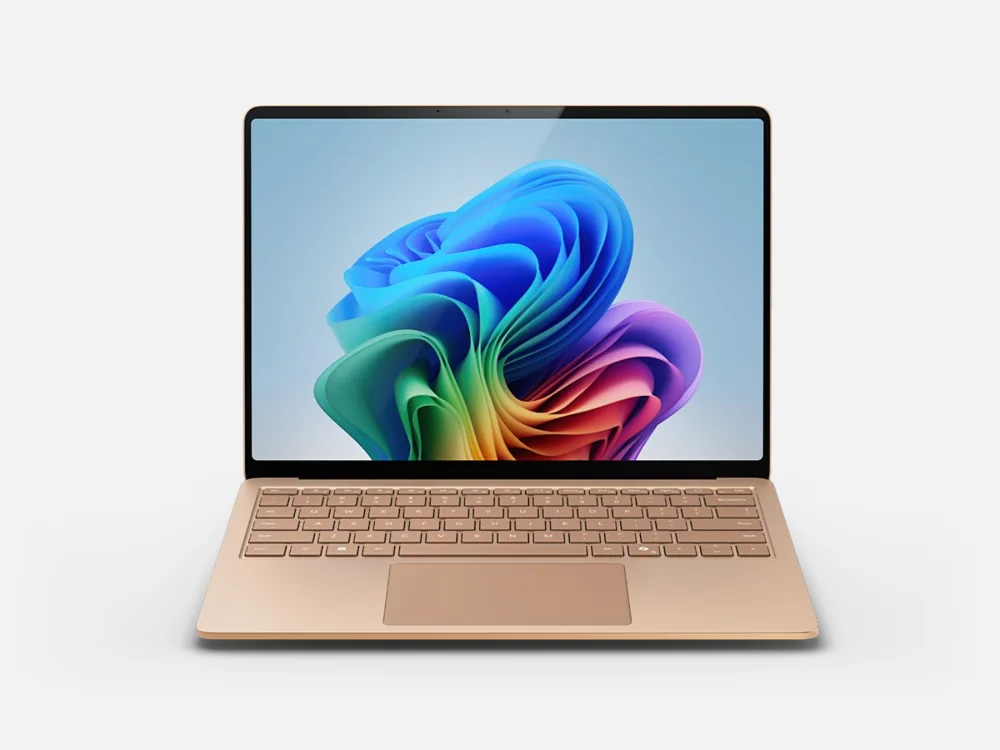 Microsoft Surface Laptop 7A newer Surface with longer battery life and a more modern chassis for buyers who do not require Intel compatibility
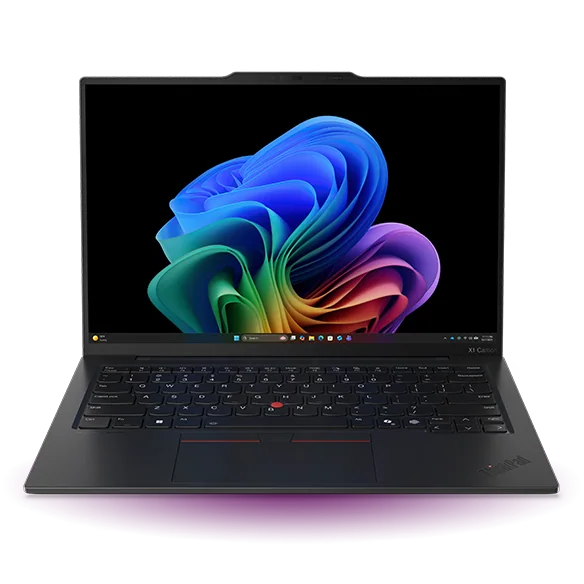 Lenovo ThinkPad X1 Carbon Gen 13 Aura EditionA much lighter premium Intel business laptop with a stronger port selection
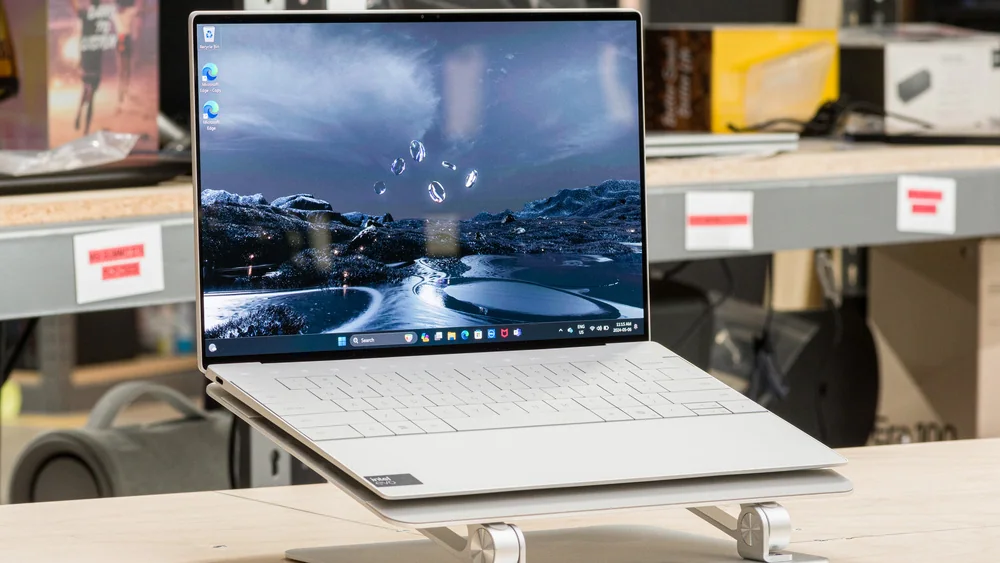 Dell XPS 13 (2024)A smaller Intel ultraportable for buyers who value portability over the Surface's 3:2 workspace
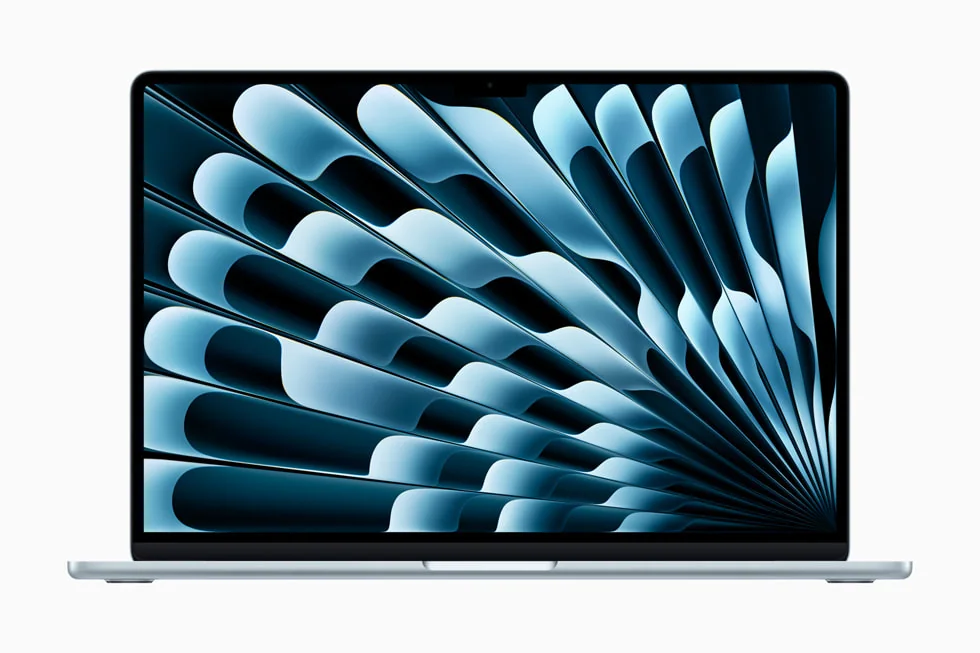 Apple MacBook Air 13-inch (M4, 2025)A more efficient consumer alternative when macOS compatibility is not a problem
Microsoft Surface Laptop 6 FAQ
Is the Surface Laptop 6 still worth buying now that the newer Surface generation exists?
Yes, particularly when it's priced substantially below the current generation. The newer Surface is more modern, but for typical productivity work, this configuration doesn't give up proportional usefulness for its lower price.
How much battery life can I realistically expect?
Microsoft claims up to 18.5 hours under a controlled test, while one independent evaluation of a similar 32GB configuration measured about 14 hours in a demanding mixed workday and 17 hours in a lighter synthetic run. Your actual result depends heavily on brightness, calls, and background workload, and can land below either figure.
Is 256GB of storage enough?
It's workable if you keep large files in cloud storage and avoid installing everything locally, but Windows, apps, and sync folders will claim a meaningful share of that space. Buyers with large local media libraries should consider a higher-capacity configuration.
Can I upgrade the memory later?
No. The 16GB of LPDDR5x memory is soldered and fixed at purchase, so buyers anticipating heavier future workloads should choose a higher-memory configuration upfront rather than plan to upgrade later.
Does this model support 5G or cellular data?
No. There is no 5G or eSIM option in the Surface Laptop 6 for Business family; connectivity is Wi-Fi 6E and Bluetooth 5.3 only.
Is the SSD replaceable if it fails or fills up?
Yes, Microsoft documents the SSD as a removable, serviceable component with an official replacement procedure, though it requires following the service guide and using a compatible part rather than being a simple drop-in swap.
How does this compare to the current Surface generation for everyday use?
The current generation offers a more modern chassis, higher refresh display, and updated touchpad, but for browsing, Office work, and calls, the gap in daily usefulness is smaller than the price gap between the two, which is why this configuration remains a strong value choice.
Is this laptop good for gaming or creative work?
It handles light photo editing and modest games acceptably thanks to Intel Arc graphics, but it's not built for sustained 3D rendering, video editing at scale, or serious gaming. Buyers with those needs should look at a discrete GPU laptop instead.
Sources and research notes
Specifications come from manufacturer documentation. Measured results are attributed to independent evaluations.
- Surface Laptop 6 for Business Fact SheetMicrosoft
- Surface Laptop 6 for Business featuresMicrosoft Support
- Self-repair information for your Surface deviceMicrosoft Support
- Intel Core Ultra 7 Processor 165H specificationsIntel
- Surface Pro 10 for Business reviewEngadget
- Surface Laptop 6 for Business testSpider's Web
- Surface Laptop 7 vs Surface Laptop 6 for BusinessWindows Central
Should you buy the Surface Laptop 6?
Judged purely on specifications against the current Surface generation, this laptop loses on chassis design, refresh rate, and storage headroom. Judged on what it actually costs to own relative to what it delivers, it wins for a much broader range of buyers than IT compatibility specialists alone. The hardware hasn't changed; where it sits in the market has.
For the exact 16GB, 256GB configuration reviewed here, those two numbers are the hard fit questions to answer honestly before buying. If either one gives you pause, the rest of this laptop's strengths won't change that calculus.
Choose this Surface Laptop 6 if you want premium build quality, a genuinely good 3:2 touchscreen, and dependable Core Ultra 7 performance without paying current-generation prices, and if you can live within 256GB storage and fixed 16GB memory. Skip it if the price gap to the newer Surface has narrowed by the time you're shopping, or if your workload genuinely demands more memory, more storage, or discrete graphics than this configuration can offer.