What obstacle avoidance actually does (and what it does not)
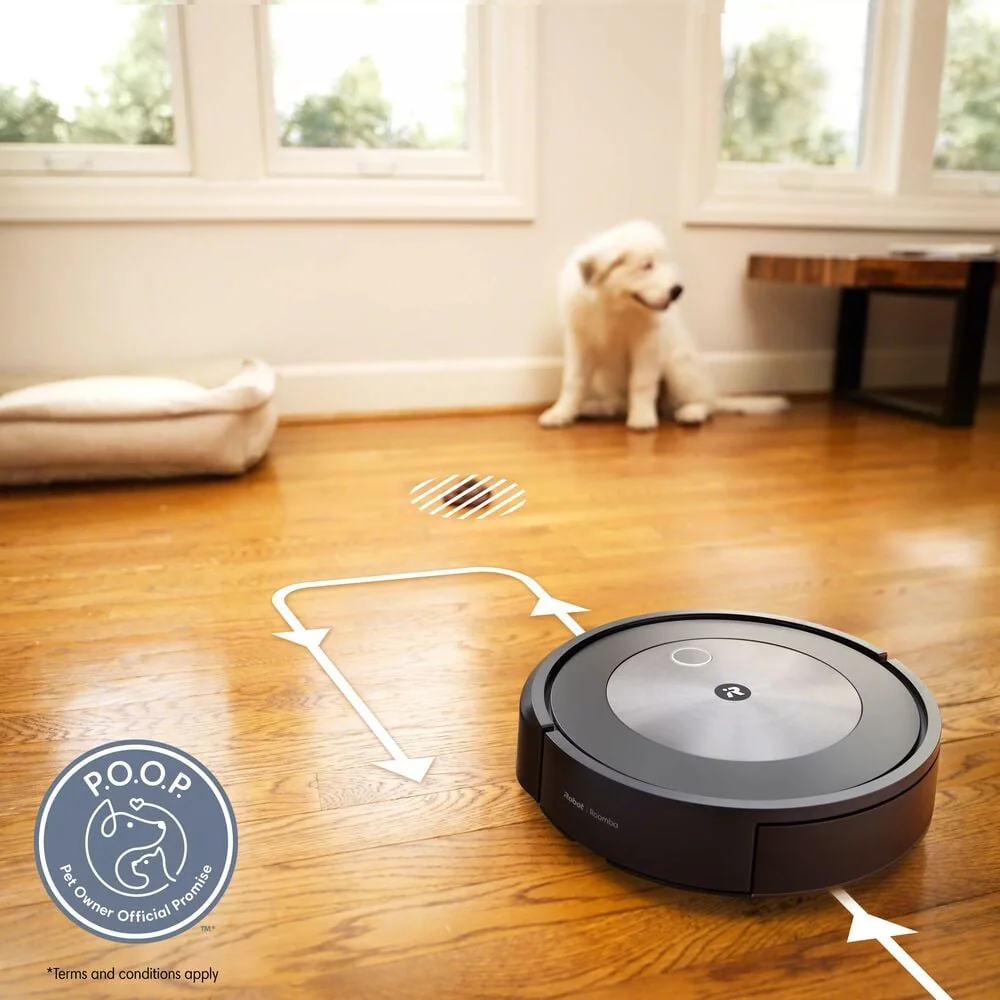
Obstacle avoidance is the robot’s ability to recognize objects in its path and choose a route around them. Depending on the design, it may use cameras, structured light, or other sensors to -see- what is ahead. The practical benefit is fewer tangles and fewer stuck moments, which means the robot completes more scheduled cleanings. Completion matters more than a single impressive run because daily grit builds up fast in entryways, kitchens, and pet zones.
Obstacle avoidance is not the same thing as mapping. Mapping is how the robot learns your rooms and plans coverage. A robot can map well and still eat a phone charger if it cannot detect it in time. Also, avoidance is not magic. If the floor is crowded, the robot may avoid so much that it leaves a lot uncleaned. Think of it as a way to reduce interruptions, not a way to vacuum around a messy room without consequences.
The obstacles that matter most in real homes
Cords are the number one ownership headache. A robot that grabs a charging cable can drag items off a table, pull a lamp, or wrap the cord into its brush until it shuts down. Socks, shoelaces, and small toys are similar because they are soft and easy to ingest. Pet accidents are a separate category: if a robot runs through a mess, cleanup becomes a floor problem and a robot maintenance problem.
Low furniture and thresholds also deserve attention. A robot that wedges under a sofa or gets high-centered on a thick rug edge will stop mid-run, then you lose the whole cleaning session. Look at your home like a robot: measure the clearance under key furniture, note any tall transitions between rooms, and identify -trap zones- like fringed rugs and floor-length curtains. Obstacle avoidance helps, but physical fit and smart boundaries still do a lot of the work.
Specs that predict better avoidance (and marketing that does not)
Useful specs are the ones that change daily behavior. Look for object detection that is described in plain terms (cords, shoes, pet bowls) and for the ability to create no-go zones or keep-out areas in the app. No-go zones are virtual boundaries you set on a map so the robot avoids a rug fringe, a pet feeding station, or a cable-heavy corner. Also pay attention to how the robot behaves in low light if you plan to run it at night, because some systems rely more on visibility than others.
Be skeptical of vague claims like -AI obstacle recognition- or long lists of object types without explaining what happens when the robot is unsure. Another spec that gets overhyped is suction numbers. Strong suction can help on carpet, but it does not prevent tangles or collisions. For obstacle-heavy homes, brush and intake design matter just as much. A roller that resists hair wrap and an intake path that does not clog easily will reduce the damage when the robot does encounter something it should not.
Setup and routines that make avoidance work better
Start with a one-time -robot proofing- walk-through. Bundle charging cables, lift floor-length curtains a bit, and decide where shoes and backpacks will live so the robot is not constantly negotiating them. Then run a supervised mapping clean. Watch where it hesitates, where it bumps, and where it gets too close to trouble. Use that first run to place no-go zones around known hazards like a pet bowl mat, a fireplace hearth, or a rug with long fringe.
For day-to-day success, keep the routine simple. Do a quick floor scan before scheduled runs, especially in kid zones and near nightstands where cords live. Empty the bin or use a self-empty base if your home produces a lot of hair and grit, because a packed bin reduces pickup and can make the robot drag debris. Clean the brush and end caps regularly so hair does not build up and change how the robot moves and turns. If your robot has a mop pad, remove or lift it for rugs so you do not create damp, dirty streaks where the robot hesitates.